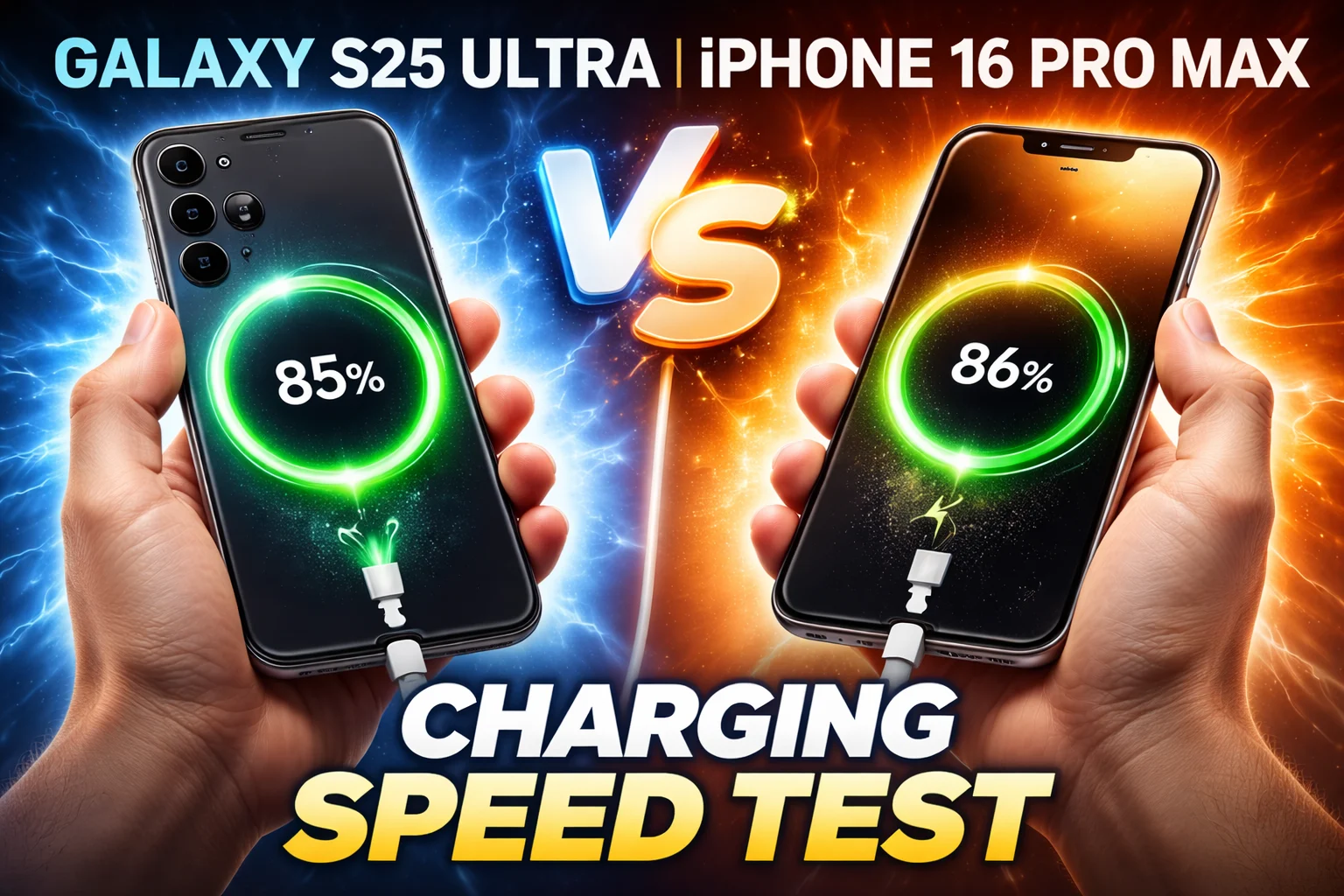
When people compare iPhone vs Android screen quality, they’re really asking one simple question: which phone display actually looks better in everyday use?
Both platforms now offer stunning screens with sharp resolution, vibrant colors, and smooth refresh rates.
iPhones are known for consistent color accuracy and excellent brightness, making photos, videos, and text look clean and natural.
Many Android phones, especially flagship models from Samsung, push the limits with higher peak brightness, deeper contrast, and more customizable display settings.
Having tested both, the truth is that each platform delivers excellent screen quality—the real difference comes down to how you use your phone and what type of display experience you prefer.
I’ve tested dozens of smartphones over the years, comparing display quality, brightness, color accuracy, and outdoor visibility across both iPhone and Android devices.
Who This Is For
Why Screen Quality Matters More Than You Think
I spend more time staring at my phone screen than I do watching TV.
Honestly, most of us do.
And yet when people compare iPhone vs Android screen quality, the conversation usually stops at “OLED is better than LCD” — and that barely scratches the surface.
Screen quality affects everything. It affects how sharp text looks when you’re reading at 6am.
It affects how well you can see your phone in bright sunlight. It affects whether video looks rich and filmic or flat and washed out.
It even affects how much battery your phone burns through in a day.
I’m going to break down iPhone vs Android screen quality in a way that actually makes sense — no jargon walls, just the honest comparisons that help you make a smarter call when you’re spending hundreds of dollars on a new phone.
All specs in this article come from Apple’s official spec pages, Samsung’s official product listings, and GSMArena’s verified database.
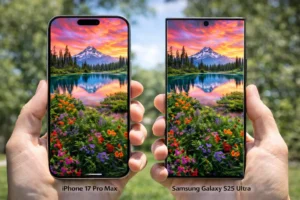
The Screen Tech Behind Both Platforms
Before we get into numbers, let me quickly explain what we’re actually comparing when we talk about iPhone vs Android screen quality.
Because not all phone screens are built the same way.
OLED: The Common Ground
Here’s something that surprises a lot of people: every flagship iPhone and most premium Android phones now use OLED panels.
That wasn’t always the case.
Apple used LCD on iPhones all the way until 2017 — and budget Androids still use LCD today. But at the mid-range and above, OLED rules everything.
OLED stands for Organic Light-Emitting Diode.
Each pixel produces its own light, which means when something on screen is black, those pixels switch off completely.
That gives you perfect, ink-black blacks, a theoretically infinite contrast ratio, and colors that pop in a way no LCD can match.
Apple’s Branding: Super Retina XDR
Apple brands its OLED displays Super Retina XDR, a name used across modern iPhone models to describe Apple’s high-quality OLED panels.
They’re all OLED. They all support Dolby Vision.
And they’re all calibrated to Apple’s very tight color standards from day one.
Samsung’s Branding: Dynamic AMOLED 2X
Samsung calls its top-tier panels “Dynamic AMOLED 2X.”
The S25 Ultra, S25+, and S25 all use some version of this. AMOLED (Active Matrix OLED) is Samsung’s own OLED technology, and the Dynamic AMOLED 2X branding signals their highest-quality implementation with AI-assisted upscaling called ProScaler.
Google’s Approach: LTPO OLED
Google takes a slightly different path on the Pixel 9 Pro.
They use an LTPO OLED panel — which stands for Low Temperature Polycrystalline Oxide.
This is the same underlying tech that enables Apple’s ProMotion adaptive refresh rate, just under a different name.
iPhone, Samsung, and Google all use OLED at the flagship level.
Resolution & Pixel Density: Who’s Sharper?
Resolution tells you how many pixels are packed into a screen.
Pixel density — measured in ppi (pixels per inch) — is the number that actually matters.
A high-resolution screen on a large display might have the same ppi as a lower-resolution screen on a smaller one.
Here’s where things get really interesting in the iPhone vs Android screen quality debate.
iPhone: Consistent Across the Lineup
Apple does something unusual: every iPhone 17 model — the standard 17, the Air, the Pro, and the Pro Max — sits at exactly 460 ppi. That consistency is deliberate.
Apple generally keeps iPhone displays around the same pixel density (roughly 450–460 ppi), which helps maintain consistent sharpness across different screen sizes.
That means text looks similarly crisp on both smaller iPhones and larger Pro Max models.
The one exception in the 2025-2026 lineup is the iPhone 17e, launched in March 2026 as Apple’s budget-friendly entry point.
It also hits 460 ppi on its 6.1-inch screen — the pixel density is there, but other display specs take a step back, which we’ll get to in the brightness section.
Android: More Variation at the Top
Android flagship phones can push beyond Apple’s 460 ppi.
The Samsung Galaxy S25 Ultra sits at approximately 498 ppi with its QHD+ (1440×3120) panel. The Samsung Galaxy S25+ reaches around 509 ppi.
The Google Pixel 9 Pro lands at 495 ppi.
On paper, Samsung’s pixel density lead is real.
But in real-world use, the difference between 460 ppi and 498 ppi is something most people genuinely cannot see with the naked eye at normal viewing distances.
The Samsung Base Model Catch
Here’s something Samsung doesn’t advertise loudly: the base Galaxy S25 only uses a Full HD+ (1080×2340) panel at 416 ppi.
You have to step up to the S25+ or S25 Ultra to get the QHD+ resolution most people assume all S25 phones have.
At $799, that’s worth knowing.
| Phone | Screen Size | Resolution | PPI | Panel |
|---|---|---|---|---|
| iPhone 17 Pro Max | 6.9″ | 2868×1320 | 460 | Super Retina XDR OLED |
| iPhone 17 Pro | 6.3″ | 2622×1206 | 460 | Super Retina XDR OLED |
| iPhone 17 | 6.3″ | 2622×1206 | 460 | Super Retina XDR OLED |
| iPhone Air | 6.5″ | 2736×1260 | 460 | Super Retina XDR OLED |
| iPhone 17e | 6.1″ | 2532×1170 | 460 | Super Retina XDR OLED |
| Samsung Galaxy S25 Ultra | 6.9″ | 1440×3120 (QHD+) | 498 | Dynamic LTPO AMOLED 2X |
| Samsung Galaxy S25+ | 6.7″ | 1440×3088 (QHD+) | 509 | Dynamic AMOLED 2X |
| Samsung Galaxy S25 | 6.2″ | 1080×2340 (FHD+) | 416 | Dynamic AMOLED 2X |
| Google Pixel 9 Pro | 6.3″ | 1280×2856 | 495 | LTPO OLED |
At 498 ppi on a QHD+ panel, the S25 Ultra wins on raw pixel density.
Brightness: Outdoor Visibility Put to the Test
Brightness is the number that determines whether you can actually read your phone in bright sunshine.
And this is where the iPhone vs Android screen quality comparison gets genuinely exciting — because the numbers at the top are staggering.
iPhone Brightness: Consistent and High Across the Lineup
Current iPhone 17 models can reach up to 3,000 nits peak brightness in bright outdoor conditions
That’s confirmed directly from Apple’s official spec pages.
Under typical indoor conditions, these screens run at 1,000 nits — and for HDR content, they jump to 1,600 nits.
The experience is punchy, vivid, and highly readable in direct sunlight.
The iPhone 17e is the exception.
Apple’s new budget iPhone tops out at 800 nits typical and 1,200 nits HDR.
It does not have a published peak outdoor brightness claim.
For indoor use it’s perfectly fine, but step outside on a sunny day and you’ll notice the difference compared to its more expensive siblings.
Android Brightness: Samsung vs Pixel
The Samsung Galaxy S25 series — Ultra, Plus, and base — all claim 2,600 nits peak brightness.
That’s legitimately excellent and absolutely usable outdoors.
But it does fall short of the 3,000 nit ceiling that both Apple and Google’s Pixel 9 Pro have reached.
The Google Pixel 9 Pro matches the iPhone at 3,000 nits peak outdoor brightness (with 2,000 nits HBM as the high-brightness-mode ceiling).
For a Google phone, that’s an impressive achievement — and it puts the Pixel 9 Pro in the top tier alongside Apple’s Pro lineup when it comes to outdoor visibility.
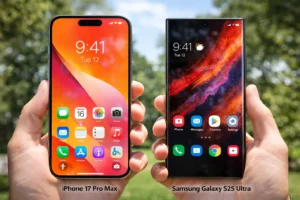
| Phone | Typical Brightness | HDR Brightness | Peak Outdoor |
|---|---|---|---|
| iPhone 17 / 17 Pro / 17 Pro Max / Air | 1,000 nits | 1,600 nits | 3,000 nits outdoor |
| iPhone 17e | 800 nits | 1,200 nits | N/A |
| Samsung Galaxy S25 Ultra / S25+ / S25 | N/A | N/A | 2,600 nits |
| Google Pixel 9 Pro | N/A | 2,000 nits (HBM) | 3,000 nits |
| Samsung Galaxy A35 5G | N/A | 1,000 nits (HBM) | N/A |
Both hit 3,000 nits peak outdoor brightness.
Color Accuracy: True to Life or Pumped Up?
Brightness and resolution get all the headlines, but color accuracy might be the most underrated part of the iPhone vs Android screen quality conversation.
Because a screen that shows inaccurate colors — no matter how bright or sharp — is going to make photos look wrong, skin tones look off, and video look like it was graded on a different planet.
Apple’s Approach: Calibrated from Day One
Apple calibrates every iPhone display to the DCI-P3 wide color gamut from the factory.
That’s the same color standard used in professional cinema.
What that means practically is that photos taken on your iPhone look exactly as they should when viewed on your iPhone — no surprise color shifts, no weird tinting.
True Tone is Apple’s ambient light color matching technology.
Using sensors built into the front of the phone, True Tone adjusts the white balance of the display based on the color temperature of the light around you.
In a warm indoor room, the screen shifts slightly warm.
Under cool office lighting, it shifts slightly cooler.
The goal is to make white look like white — the way your eyes experience paper in different lighting. It’s subtle when it’s on and jarring when you turn it off.
Samsung’s Approach: Vivid Mode vs Natural Mode
Samsung gives you a choice with their Galaxy S25 lineup, and the choice matters.
Vivid mode — Samsung’s default — pushes colors well beyond the sRGB or P3 standard. Reds look redder.
Blues look bluer. It’s eye-catching, especially in-store. But it is technically inaccurate.
Switch to Natural mode and the Samsung S25 Ultra becomes a very well-calibrated display — genuinely accurate, with excellent DCI-P3 coverage. The point is that Samsung gives you the tools, but accuracy is something you have to opt into rather than get by default.
Adaptive Display is Samsung’s equivalent of True Tone — it adjusts screen color temperature based on ambient conditions.
It works well, though many users find Apple’s True Tone slightly more seamless in practice.
Google’s Approach: Accurate and Consistent
The Pixel 9 Pro sits closer to Apple in its approach. Google calibrates the display toward accuracy first, vibrancy second.
The result is a screen that renders colors faithfully, making it a solid pick for anyone who edits photos on their phone or cares about true-to-life color reproduction.
If you’re editing photos or doing any color-sensitive work on a Samsung Galaxy phone, go into Settings → Display → Screen Mode and switch to Natural.
✅ iPhone Color Strengths
- DCI-P3 accurate from factory, no adjustment needed
- True Tone ambient light matching is seamless
- 2,000,000:1 contrast ratio for deep blacks
- Dolby Vision support in photos and video
- Consistent calibration across the entire lineup
❌ iPhone Color Weaknesses
- No user-selectable color profiles or saturation boost
- Less flexibility for those who prefer punchier colors
- True Tone cannot be used simultaneously with Night Shift on all models
✅ Samsung Color Strengths
- Multiple color modes — accurate Natural plus eye-catching Vivid
- AI-powered ProScaler upscaling on S25 Ultra and S25+
- Excellent DCI-P3 coverage in Natural mode
- Wide color customisation for power users
❌ Samsung Color Weaknesses
- Vivid mode (default) is technically inaccurate — oversaturated
- Accuracy requires a manual mode switch most users never make
- HDR10+ rather than Dolby Vision (narrower ecosystem support)
iPhones are calibrated to a cinema standard by default.
Refresh Rate: Smooth Scrolling Explained
Refresh rate is how many times per second your screen redraws the image.
At 60Hz, it refreshes 60 times per second. At 120Hz, it doubles that — and the difference is immediately obvious the first time you use it.
Everything feels more fluid.
Scrolling feels more natural. Even typing feels more responsive.
120Hz ProMotion: Apple’s Adaptive Advantage
Apple’s ProMotion technology, available on iPhone 17, iPhone Air, and the Pro models, allows the display to dynamically adjust between low and high refresh rates for smoother scrolling and better battery efficiency.
It uses an LTPO panel to shift between 1Hz and 120Hz dynamically, depending on what’s happening on screen.
Watching a static notification? 1Hz. Scrolling through Instagram? 120Hz.
This is how Apple gets both buttery smoothness and exceptional battery life from the same screen.
The iPhone 17e is the one model that does not get ProMotion.
It stays at a fixed 60Hz. At $599, Apple made a trade-off, and this is the most visible one in day-to-day use.
Android: 120Hz is the Standard
At the Samsung flagship level, 120Hz LTPO (adaptive) is standard across the S25 Ultra, S25+, and base S25.
The Pixel 9 Pro also uses LTPO OLED for the same 1Hz–120Hz adaptive range.
Even the mid-range Samsung Galaxy A35 5G runs a fixed 120Hz — which means Android buyers get smooth scrolling at much lower price points than Apple historically offered.
| Phone | Refresh Rate | Adaptive (LTPO)? | Always-On Display |
| iPhone 17 Pro / Pro Max | 1-120Hz | Yes | Yes |
| iPhone 17 / Air | 1-120Hz | Yes | Yes |
| iPhone 17e | 60Hz | No | No |
| Samsung Galaxy S25 Ultra | 1–120Hz | Yes (LTPO) | Yes |
| Samsung Galaxy S25 / S25+ | 1–120Hz | Yes | Yes |
| Google Pixel 9 Pro | 1–120Hz | Yes (LTPO) | Yes |
| Samsung Galaxy A35 5G | 120Hz | Fixed (no LTPO) | No |
All flagship phones from both platforms now deliver adaptive 120Hz.
Mid-Range Screens: What You Get for Less
Not everybody is spending $999–$1,299 on a phone.
The mid-range is where most real buying decisions happen — and this part of the iPhone vs Android screen quality comparison looks very different.
iPhone 17e: Apple’s Budget Entry Point
The iPhone 17e, launched in March 2026 at $599, is Apple’s most affordable new iPhone.
It has a 6.1-inch Super Retina XDR OLED at 460 ppi, which sounds impressive.
And the pixel density genuinely is. But the screen makes compromises compared to the rest of the 17 lineup.
The 17e runs at 60Hz with no ProMotion. Brightness tops out at 800 nits typical and 1,200 nits HDR — Apple doesn’t publish a peak outdoor brightness figure for this model.
It also lacks Dynamic Island and Always-On display. For casual users, the screen is still very good.
For anyone who has used ProMotion on any other iPhone 17, it will feel noticeably less smooth.
Samsung Galaxy A35 5G: The Android Mid-Range Standard
At around $399, the Samsung Galaxy A35 5G punches above its weight for screen quality.
It carries a 6.6-inch Super AMOLED at 390 ppi, runs at a fixed 120Hz, and hits 1,000 nits HBM.
There is no always-on display and no adaptive refresh rate, but for the price, getting 120Hz and Super AMOLED is genuinely impressive.
The trade-off is brightness.
At 1,000 nits, the A35 5G is noticeably dimmer than any flagship on either platform.
Outdoor readability in direct sunlight is serviceable but not great.
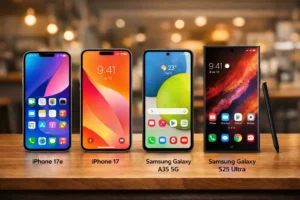
At the mid-range, Android gives you better hardware — 120Hz on the Galaxy A35 5G vs 60Hz on the iPhone 17e — for $200 less.
HDR & Video: Dolby Vision vs HDR10+
If you watch a lot of video on your phone — Netflix, YouTube, Apple TV+, Disney+ — the HDR standard your phone supports matters a lot more than most buyers realize.
iPhone: Dolby Vision Only
Every iPhone in the 17 lineup — including the 17e — supports Dolby Vision.
This is the premium HDR standard, widely regarded as the gold standard for cinematic video.
It uses dynamic metadata, meaning the mastering data adjusts scene by scene rather than applying a single global setting to the whole film.
iPhones can record, display, and stream Dolby Vision content natively.
Android: HDR10+ Is the Standard
Both Samsung Galaxy S25 phones and the Google Pixel 9 Pro use HDR10+ rather than Dolby Vision.
HDR10+ is Samsung’s own competing standard — also using dynamic metadata — and it’s genuinely excellent. But Dolby Vision has broader streaming platform support.
Netflix, Apple TV+, and Disney+ primarily master content in Dolby Vision.
When you watch those services on a Samsung or Pixel phone, you’re typically seeing an HDR10 or SDR version rather than the full Dolby Vision grade.
This doesn’t mean Samsung or Pixel screens look bad for video — they don’t.
| Feature | iPhone 17 Lineup | Samsung Galaxy S25 | Google Pixel 9 Pro |
|---|---|---|---|
| Dolby Vision Support | ✓ Yes | ✗ No | ✗ No |
| HDR10+ Support | ✗ No | ✓ Yes | ✓ Yes |
| Always-On Display | ✓ Yes (not 17e) | ✓ Yes | ✓ Yes |
| Anti-Reflective Coating | ✓ Ceramic Shield 2 | S25 Ultra: Gorilla Armor 2 | ✗ Gorilla Glass Victus 2 |
Full Comparison Table: Every Major Phone
Here’s the full picture — every major phone from both platforms in one place, so you can compare iPhone vs Android screen quality at a glance.
| Phone | Size | PPI | Peak Nits | Refresh | HDR | Price (USD) |
|---|---|---|---|---|---|---|
| iPhone 17 Pro Max | 6.9″ | 460 | 3,000 | 1–120Hz | Dolby Vision | $1,199 |
| iPhone 17 Pro | 6.3″ | 460 | 3,000 | 1–120Hz | Dolby Vision | $1,099 |
| iPhone Air | 6.5″ | 460 | 3,000 | 1–120Hz | Dolby Vision | $999 |
| iPhone 17 | 6.3″ | 460 | 3,000 | 1–120Hz | Dolby Vision | $799 |
| iPhone 17e | 6.1″ | 460 | 1,200 HDR | 60Hz | Dolby Vision | $599 |
| Samsung S25 Ultra | 6.9″ | 498 | 2,600 | 1–120Hz | HDR10+ | $1,299 |
| Samsung S25+ | 6.7″ | 509 | 2,600 | 1–120Hz | HDR10+ | $999 |
| Samsung S25 | 6.2″ | 416 | 2,600 | 1–120Hz | HDR10+ | $799 |
| Google Pixel 9 Pro | 6.3″ | 495 | 3,000 | 1–120Hz | HDR10+ | $999 |
| Samsung Galaxy A35 5G | 6.6″ | 390 | 1,000 | 120Hz | None | ~$399 |
The Verdict: Which Screen Wins?
After spending time with the numbers and real-world considerations, here is my honest take on the iPhone vs Android screen quality debate in 2025.
If you want the sharpest panel: Samsung Galaxy S25 Ultra
At 498 ppi with a QHD+ 1440p panel, the S25 Ultra has the highest pixel density of any flagship phone.
If you do a lot of reading, fine-detail photo editing, or VR on your phone, that extra sharpness is measurable.
If you want the brightest screen: iPhone 17 Pro or Pixel 9 Pro
Both hit 3,000 nits peak outdoor brightness — a dead tie at the absolute top.
Samsung’s 2,600 nits is excellent but not quite there.
If you want the most accurate colors out of the box: iPhone
Every iPhone 17 is calibrated to the DCI-P3 standard by default.
No settings to adjust. No Vivid mode to turn off.
You get cinema-grade color accuracy on day one.
If you want the best video experience: iPhone
Dolby Vision support — both for streaming and recording — gives iPhone users access to the premium tier of HDR content that Samsung and Pixel phones cannot fully display.
If you’re on a budget: Samsung Galaxy A35 5G
At ~$399, the A35 5G delivers 120Hz Super AMOLED at 390 ppi.
No Android phone at this price comes close.
The iPhone 17e at $599 has better color calibration but only 60Hz — and costs $200 more.
iPhone vs Android Screen Quality — Overall Winner: Depends on Your Priority
For most people buying a flagship, iPhone 17 Pro and Samsung Galaxy S25 Ultra are both extraordinary screens that most people will not be able to meaningfully distinguish in real life.
iPhone wins on color accuracy and Dolby Vision.
Samsung wins on pixel density.
Pixel 9 Pro is a strong third option that matches iPhone on brightness and beats Samsung on HDR at the same price. At the mid-range, Android gets you more screen hardware for less money.
✅ Choose iPhone If…
- Color accuracy out of the box matters to you
- You stream or record Dolby Vision content
- You’re in the Apple ecosystem (MacBook, iPad, AirPods)
- You want a consistent, calibrated experience at every price tier
✅ Choose Android If…
- You want the highest raw pixel density (Samsung S25 Ultra)
- You prefer customisable color profiles and display modes
- You want 120Hz at a lower budget (Galaxy A35 5G)
- Screen size flexibility and variety matters to you
Frequently Asked Questions
Does iPhone have a better screen than Android?
It depends on the model and what you’re comparing. The iPhone 17 Pro Max and Google Pixel 9 Pro both hit 3,000 nits peak brightness and hover between 460–495 ppi. The Samsung Galaxy S25 Ultra wins on raw pixel density at 498 ppi with a QHD+ panel. For out-of-the-box color accuracy, iPhones are consistently the best-calibrated devices in the category.
What is the highest ppi smartphone screen in 2025?
The Samsung Galaxy S25 Ultra leads the pack at approximately 498 ppi on its 6.9-inch QHD+ (1440×3120) Dynamic AMOLED 2X panel. The Galaxy S25+ edges just above at around 509 ppi on a slightly smaller 6.7-inch panel.
Which phone has the brightest screen in 2025?
Some of the brightest smartphones today include flagship iPhones, Samsung Galaxy models, and Google Pixel phones, with peak brightness reaching around 2,000–3,000 nits depending on testing conditions. The Samsung Galaxy S25 Ultra reaches 2,600 nits peak — excellent, but slightly behind the leaders.
What is ProMotion on iPhone and should I care?
ProMotion is Apple’s adaptive refresh-rate technology that allows compatible iPhone displays to dynamically shift between 1Hz and 120Hz depending on what is happening on screen, helping deliver smoother scrolling while conserving battery when the display is static.
Does Samsung support Dolby Vision?
No. Samsung Galaxy phones use HDR10+ rather than Dolby Vision. Google Pixel phones also use HDR10+. Only iPhones fully support Dolby Vision across both streaming playback and video recording. For most users this is a minor distinction, but if you stream from services like Apple TV+ or Netflix, those platforms primarily master their premium content in Dolby Vision.
Is the iPhone 17e screen good for the price?
The iPhone 17e, launched March 2026 at $599, has a 6.1-inch OLED at 460 ppi — which is genuinely sharp. But it runs at 60Hz (no ProMotion) and tops out at 1,200 nits HDR brightness. Compared to the Samsung Galaxy A35 5G at $399, which offers 120Hz and Super AMOLED, the 17e asks more and delivers less on paper. The 17e earns its price through Apple’s software ecosystem, long update support, and better color calibration — not raw display hardware.
What is the difference between OLED and AMOLED?
AMOLED (Active Matrix OLED) is a specific type of OLED technology that Samsung popularized. All AMOLED panels are OLED, but not all OLED panels are AMOLED. In practical terms, the difference is minimal — both technologies produce true blacks, vibrant colors, and exceptional contrast. Samsung markets its latest flagship panels as Dynamic AMOLED 2X, while Apple calls its equivalent Super Retina XDR.