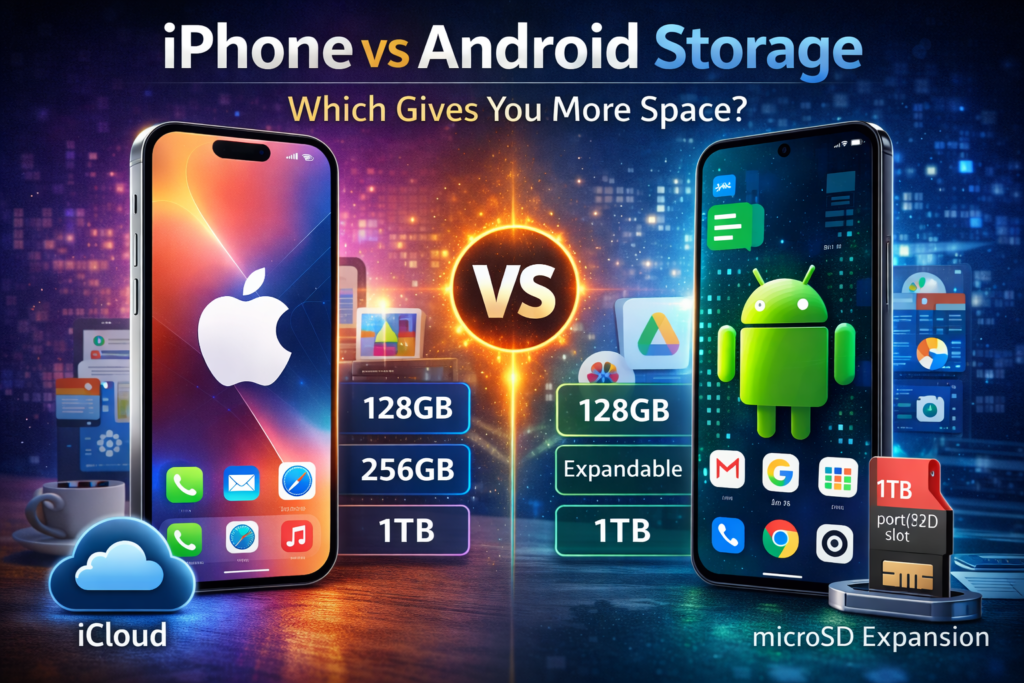
When people compare iPhone vs Android storage, they are really comparing how each platform manages space for apps, photos, videos, and files.
iPhones come with fixed storage options, meaning you choose the size you need when you buy the phone, and it can’t be expanded later.
Android phones, on the other hand, often offer more flexibility—many models support expandable storage using microSD cards.
iPhones focus on optimized storage and strong integration with iCloud, while Android gives users more control over files and storage upgrades.
In simple terms, iPhone vs Android storage is about convenience versus flexibility in managing your phone’s space.
I tested both platforms and broke down every storage option — internal space, cloud plans, and expandable storage — so you do not have to guess.
Why Android vs iPhone Storage Is Such a Big Deal
Running out of storage is one of the most frustrating things that can happen to your phone.
You go to take a photo at a birthday party and your phone says — storage full.
I have been there, and it is not fun.
That is exactly why understanding Android vs iPhone storage matters before you spend your money.
Storage is not just about gigabytes.
It is about how a phone handles your photos, your apps, your videos, and your files every single day.
In this guide, I break down the full Android vs iPhone storage comparison.
I cover internal storage options, cloud plans, microSD card support, and real value for money.
By the end, you will know exactly which phone gives you more storage for what you pay.
Comparison: Android vs iPhone Storage
Before I get into the details, here is a fast side-by-side snapshot of the key Android vs iPhone storage differences:
| Feature | iPhone | Android |
|---|---|---|
| Starting Internal Storage | 128GB | 64GB–256GB (varies by device) ✓ |
| Maximum Internal Storage | 1TB | 1TB+ ✓ |
| MicroSD Support | No ✗ | Yes (select models) ✓ |
| Default Cloud Service | iCloud | Google Drive |
| Free Cloud Storage | 5GB ✗ | 15GB ✓ |
| Storage Upgrade Method | Buy new phone ✗ | Add microSD card ✓ |
| Cloud Paid Plans | From $0.99/mo | From $1.99/mo |
| Cross-Device Sync | Seamless (Apple only) ✓ | Strong (all platforms) |
This snapshot tells a clear story.
But the real Android vs iPhone storage picture is more detailed than a table can show.
Let me walk you through every part of it.
What Storage Options Does iPhone Offer?
Apple keeps its iPhone storage options simple and clean — just like the phone itself.
When you buy an iPhone, you pick your storage size at checkout and that is the size you live with.
Available iPhone Storage Tiers
Depending on which iPhone model you buy, Apple currently offers these storage options:
| iPhone Model | Storage Options | Starting Price |
|---|---|---|
| iPhone 15 | 128GB, 256GB, 512GB | $799 |
| iPhone 15 Plus | 128GB, 256GB, 512GB | $899 |
| iPhone 15 Pro | 128GB, 256GB, 512GB, 1TB | $999 |
| iPhone 15 Pro Max | 256GB, 512GB, 1TB | $1,199 |
That is enough for most people.
But if you love shooting 4K videos or downloading lots of apps, you will want to go higher.
And here is the thing — you cannot change it later.
Why Apple Removed Expandable Storage
Apple has never included microSD card slots on iPhones.
Apple argues that fixed internal storage provides faster speeds and more consistent performance than external memory cards.
There is some truth to that — internal storage is much faster than most microSD cards.
But the honest reality is that it also pushes you to either buy more storage upfront or pay for iCloud every month.
Both options make Apple money.
That is just the truth about this part of the Android vs iPhone storage debate.
iCloud — How It Works and What It Costs
When your iPhone fills up, Apple points you toward iCloud.
iCloud is Apple’s cloud storage service.
It backs up your photos, contacts, messages, and app data automatically when you are on Wi-Fi.
The free tier gives you just 5GB.
For most people, that runs out very quickly — especially if you shoot photos and videos regularly.
After that, you pay monthly.
Is iCloud Worth Paying For?
If you use an iPhone, iPad, and Mac together, iCloud is genuinely excellent.
Everything syncs smoothly across all your Apple devices with no extra effort.
The iCloud+ plan at $0.99/month for 50GB is very affordable and covers most light users — you can see all current pricing on the official Apple iCloud+ plans page
Heavy users may need the 200GB plan at $2.99/month or the 2TB plan at $9.99/month.
What Storage Options Does Android Offer?
The Android storage world is much bigger and more varied than iPhone.
This is one of Android’s strongest advantages in the Android vs iPhone storage comparison.
Internal Storage Across Android Brands
Android phones come in every storage size you can imagine. Budget phones may start at 64GB.
Mid-range phones typically offer 128GB or 256GB.
Flagship phones like the Samsung Galaxy S24 Ultra go all the way up to 1TB of internal storage.
Because so many brands make Android phones — Samsung, Google, OnePlus, Xiaomi, Motorola, and more — you have far more choices in the Android vs iPhone storage space.
You can find a phone that fits your exact storage needs and budget without compromise.
MicroSD Card Support — Which Phones Still Have It
One of Android’s biggest storage advantages used to be the microSD card slot.
You could buy a phone with 64GB and just pop in a 256GB card for a fraction of the cost.
Some Android phones still support this — but not all of them anymore.
Phones that still support microSD in 2025 include many Samsung Galaxy A series models, Motorola G series, and various Xiaomi and Nokia mid-range devices.
Flagship phones like the Samsung Galaxy S24 series have dropped the microSD slot to push internal storage upgrades instead.
Google Drive — Free Storage and Paid Plans
Android devices commonly use Google Drive and Google Photos for cloud storage.
Every Google account gets 15GB free — that is three times more free storage than iCloud offers.
You can check all current tiers on the official Google One storage plans page
This free tier covers Google Photos, Gmail, and Google Drive all together.
Google Drive works on every device — Android, iPhone, Mac, Windows, and even in your browser.
This cross-platform flexibility is a clear win for Android in the Android vs iPhone storage cloud comparison.
Samsung, Google Pixel, and OnePlus Storage Compared
| Brand & Model | Max Storage | MicroSD? |
| Samsung Galaxy S24 Ultra | 1TB internal | No ✗ |
| Samsung Galaxy A55 | 256GB internal | Yes ✓ |
| Google Pixel 9 Pro | 128GB – 512GB (some variants up to 1TB) | No ✗ |
| OnePlus 12 | 256GB – 1TB (1TB rare, most regions: 256GB/512GB) | No ✗ |
| Motorola Moto G85 | 256GB internal | Yes ✓ |
Each brand has its own approach, which gives buyers real flexibility.
Android vs iPhone Storage: Internal Space Compared
When you strip everything back, the most important question in the Android vs iPhone storage debate is simple — how much space do you actually get on the phone itself?
How Much Storage Do You Really Need?
The answer depends on how you use your phone.
I have broken it down into three types of users to make this easy:
| User Type | Recommended Storage | Why |
|---|---|---|
| Light User | 128GB | Social apps, casual photos, streaming |
| Average User | 256GB | Lots of photos, some offline content |
| Power User | 512GB – 1TB | 4K video, heavy gaming, no cloud reliance |
128GB vs 256GB — Which Is Enough?
For most everyday users, 128GB is enough on both iPhone and Android.
You can store thousands of photos, hundreds of apps, and still have room to breathe.
But if you are someone who never deletes photos or loves downloading games, 256GB gives you real peace of mind.
On Android, 256GB is now the sweet spot for mid-range and flagship phones.
On iPhone, it is a $100 premium above the base model.
That price gap is one of the key points in the Android vs iPhone storage value conversation.
What Eats Storage the Fastest?
In my experience, these are the biggest storage killers on any phone — iPhone or Android:
- 4K Videos — 1 minute of 4K video can use 170MB–400MB depending on frame rate
- Mobile Games — some titles use 2–5GB each
- Offline Music — a large playlist can take 5–10GB
- App Data & Cache — builds up silently over time
- Burst Photos & Live Photos — much larger than regular shots
Tip — Check Your Storage Usage Right Now
On iPhone, go to Settings → General → iPhone Storage.
On Android, go to Settings → Storage.
Both will show you exactly what is eating your space.
I do this check every few months and it always surprises me.
Android vs iPhone Storage: Cloud Plans Compared
Cloud storage has become a huge part of how both Android and iPhone handle the Android vs iPhone storage gap.
When your phone fills up, the cloud is your safety net.
But the two platforms handle this very differently.
iCloud Pricing and Plans
| iCloud Storage Plans (Apple) | |
| Free | 5GB |
| iCloud+ | 50GB — $0.99/month |
| iCloud+ | 200GB — $2.99/month |
| iCloud+ | 2TB — $9.99/month |
| Works best on | Apple devices only |
| Google One Storage Plans (Android) | |
| Free | 15GB |
| Basic | 100GB — $1.99/month |
| Standard | 200GB — $2.99/month |
| Premium | 2TB — $9.99/month |
| Works best on | All platforms |
iCloud vs Google Drive — Which Is Better?
For iPhone users, iCloud is hard to beat.
It syncs your photos, messages, app data, and device backups automatically and smoothly.
The integration is seamless — you barely notice it working in the background.
That is the Apple way.
For Android users, Google Drive is the natural choice.
But it also works perfectly on iPhone, Windows, and any browser.
If you ever switch phones, your files are always accessible no matter what device you are on.
That flexibility is a real advantage in the Android vs iPhone storage cloud comparison.
The free storage difference alone is significant.
Google gives you 15GB free storage shared across Gmail, Google Photos, and Google Drive.
Apple gives you just 5GB free, which runs out very fast for most users.
Other Cloud Options Worth Knowing
Both iPhone and Android also work with Dropbox, Microsoft OneDrive, and Amazon Photos.
If you already pay for Microsoft 365, OneDrive gives you 1TB of cloud storage included.
That is great value if you are already in the Microsoft ecosystem.
| ✅ My recommendation: Whatever phone you use, set up Google Photos for photo backup.
Note: Google Photos no longer offers unlimited free storage. Photos now count toward your 15GB Google account limit shared with Gmail and Google Drive. It works on both platforms and the search feature — which finds photos by what is in them — is genuinely incredible. |
Android vs iPhone Storage: Expandable Storage
What Is a MicroSD Card?
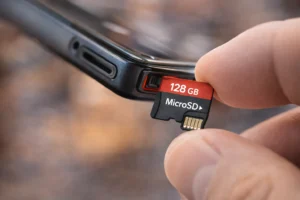
A microSD card is a tiny memory chip — about the size of a fingernail — that you slide into a slot on your phone.
It gives you instant extra storage at a very low cost.
A 256GB microSD card costs around $20–$50 on Amazon in 2025, depending on speed class.
Basic cards start at $20–$30 while faster high-speed cards run $30–$50.
That is a fraction of what Apple charges to upgrade internal storage.
Which Android Phones Support MicroSD?
Many mid-range and budget Android phones still support microSD cards.
The Samsung Galaxy A55, Motorola Moto G series, and many Xiaomi and Nokia phones all include a microSD slot.
However, flagship Android phones are dropping this feature.
The Samsung Galaxy S24 series, Google Pixel 9, and OnePlus 12 all lack a microSD slot.
Why iPhone Will Never Have MicroSD
Apple has been very clear that expandable storage does not fit its design philosophy.
Apple wants complete control over the storage performance inside its devices.
A microSD card reads and writes data more slowly than Apple’s internal NVMe storage chips, and Apple does not want that inconsistency in its experience.
There is also the business reality — if users could add cheap storage, they would not pay Apple’s premium to step up to a higher storage tier.
So in the Android vs iPhone storage expandability conversation, this gap is not closing anytime soon.
Is Expandable Storage Still Relevant?
Honestly — yes, but mostly for budget and mid-range buyers.
If you are spending $1,000+ on a flagship phone, the internal storage is probably large enough already.
But if you are buying a $200–$400 Android phone, a microSD card can add about 256GB of extra storage for $25–$50.
That is real value that iPhone simply cannot match at any price point.
Android vs iPhone Storage: Price vs Value
This is the part of the Android vs iPhone storage comparison that matters most to most people — your money.
Let me show you exactly what you pay for more storage on each platform.
Cost of Upgrading iPhone Storage
On iPhone, you upgrade storage by buying a higher-tier model. Apple charges a fixed premium for each step up:
| iPhone Model | Storage | Price | Extra Cost |
|---|---|---|---|
| iPhone 15 | 128GB | $799 | — |
| iPhone 15 | 256GB | $899 | +$100 |
| iPhone 15 | 512GB | $1,099 | +$300 |
Going from 128GB to 512GB on iPhone 15 costs an extra $300.
That is a significant jump and shows how expensive internal storage upgrades can be on iPhone.
Cost of Adding Storage to Android
On a mid-range Android phone with a microSD slot, the math looks very different:
| Method | Extra Storage | Cost |
|---|---|---|
| Samsung microSD Card (A series) | +256GB | ~$25 ✓ |
| Samsung microSD Card (A series) | +512GB | ~$45 ✓ |
| Buy higher storage tier (S24 flagship) | +256GB | +$100–$120 |
Which Gives You Better Value for Money?
If you go the microSD route on a supported Android phone, you save hundreds of dollars compared to upgrading iPhone storage.
$25 for 256GB of extra space versus $100–$300 for the same on iPhone is a massive value gap in the Android vs iPhone storage price comparison.
Even on flagship Android phones without microSD, you generally pay less per gigabyte than iPhone charges at each storage tier.
The value math almost always favors Android in a pure storage-per-dollar comparison.
Which Is Better for Storage — Android or iPhone?
After going through every angle of the Android vs iPhone storage comparison, here is my honest verdict.
|
|
In the Android vs iPhone storage debate, Android wins on flexibility and value.
iPhone wins on simplicity and ecosystem integration. Neither is wrong — it just depends on your priorities.
Pros and Cons: Android vs iPhone Storage
Here is a clean summary of the strengths and weaknesses on both sides of the Android vs iPhone storage comparison.
| iPhone Storage | |
| ✔ | Fast internal storage on all models |
| ✔ | Seamless iCloud integration across Apple devices |
| ✔ | Up to 1TB internal on current Pro Max models (rumors suggest iPhone 17 Pro Max may reach 2TB) |
| ✔ | Reliable automatic backup across all Apple devices |
| ✘ | No microSD card slot on any iPhone model |
| ✘ | Only 5GB free iCloud storage before monthly fees |
| ✘ | Expensive to upgrade storage — must buy a new tier |
| Android Storage | |
| ✔ | 15GB free Google cloud storage — 3x more than iCloud free |
| ✔ | MicroSD support on many mid-range and budget models |
| ✔ | Much more affordable storage upgrades overall |
| ✔ | Google Drive works on every device and platform |
| ✘ | Flagship models are dropping microSD support |
| ✘ | MicroSD cards are slower than internal NVMe storage |
| ✘ | Storage experience varies widely across different brands |
FAQs
Here are the most common questions people ask about Android vs iPhone storage.
Q: Does iPhone have expandable storage?
No. iPhones do not support microSD cards or any form of expandable storage. The storage size you pick when buying your iPhone is the size you live with. Apple relies on iCloud for extra space, which requires a monthly fee after the free 5GB runs out. This is one of the biggest limitations on the iPhone side of the Android vs iPhone storage debate.
Q: Which Android phones have microSD card slots in 2025?
Many mid-range and budget Android phones still support microSD. The Samsung Galaxy A55, Motorola Moto G series, and many Xiaomi and Nokia devices all have microSD slots. However, flagship phones like the Samsung Galaxy S24 series and Google Pixel 9 have removed this feature. Always check the specs before buying if expandable storage matters to you.
Q: Is 128GB enough for an iPhone?
For most everyday users, 128GB is enough. You can store thousands of photos, download plenty of apps, and stream without issue. If you shoot a lot of 4K video, download large games, or like to keep everything offline, I would recommend going up to 256GB. Heavy creators and power users should consider 512GB to stay comfortable over several years.
Q: Is Google Drive better than iCloud?
It depends on your ecosystem. Google Drive gives you 15GB free versus iCloud’s 5GB, making it the better deal for free storage. iCloud syncs more smoothly across Apple devices and is the easier choice if you use iPhone, iPad, and Mac together. For cross-platform access on Windows, Android, or in a browser, Google Drive is the more flexible choice.
Q: Can you transfer storage from Android to iPhone?
You cannot transfer physical storage between devices since iPhone has no microSD slot. However, you can easily transfer your files, photos, and data from Android to iPhone using Apple’s Move to iOS app, Google Photos, or by backing up to a computer first and then restoring. Your content moves — but the physical card stays behind.
My Final Thoughts on Android vs iPhone Storage
I have used both iPhone and Android devices for years, and I tested how each platform handles storage in real everyday use.
If you are deep in the Apple world and love how everything just works together, iPhone storage is excellent.
iCloud is smooth, fast, and deeply integrated.
The trade-off is a higher cost and no flexibility to expand later.
If you want more storage for less money, or you like the freedom to add a microSD card and not worry about cloud fees, Android is clearly the stronger choice in the Android vs iPhone storage conversation.
The smartest move is to figure out your real storage habits first. Check how much storage you actually use on your current phone. Then pick the platform and storage size that fits how you live — not how you think you might live someday.
Still Deciding on Android vs iPhone Storage?
Go back to the Verdict section and pick the option that matches your habits. Storage is personal — the right answer is the one that fits your life.