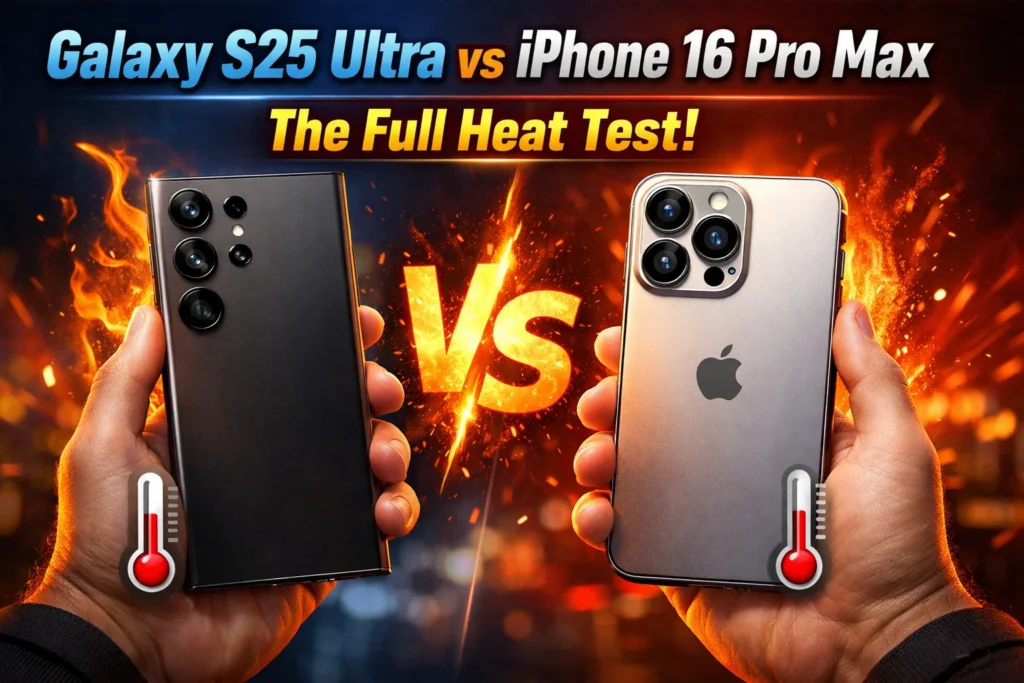
Galaxy S25 Ultra vs iPhone 16 Pro Max heat test results show how both phones handle temperature during gaming, 4K video recording, and fast charging — and which one stays cooler in real-world use.
If you’re comparing how the Samsung Galaxy S25 Ultra and iPhone 16 Pro Max handle heat, this guide breaks it down using real test data and practical insights.
In this real heat test between the Samsung Galaxy S25 Ultra and the iPhone 16 Pro Max, we look at which one stays cooler, runs more smoothly, and feels more comfortable to use in everyday situations.
From extended gaming sessions to 4K video recording and fast charging, both phones were tested under demanding conditions to see how heat builds up and whether it affects performance.
If your phone has ever started heating up in your hand, this will help you understand what’s actually happening — and what to expect from these two models.
This comparison combines real-world usage observations with data from independent lab testing by sources like GSMArena, PhoneArena, and ChargerLAB to give a clearer and more realistic picture of how these phones handle heat in everyday use.
Who This Is For
✅ Gamers who play long sessions
✅ Content creators shooting 4K video
✅ Users in hot climates
✅ Anyone whose phone gets hot under heavy use
❌ Not for casual browsing and calling only
Key Takeaways
- Some stress tests show the Samsung Galaxy S25 Ultra can drop to roughly 45–50% of its peak GPU performance during long workloads.
- Multiple independent stress tests show the iPhone 16 Pro Max maintains around 90% GPU stability and 78% CPU stability during long workloads — far ahead of the S25 Ultra’s 47–50%. (Source: GSMArena)
- Even phones with the same chip can feel completely different depending on how they manage heat.
- In ChargerLAB’s independent test, the Samsung S25 Ultra fully charges in 1 hour and 22 minutes using a Samsung 65W charger.
- In extreme summer heat (45°C+), both phones will struggle — but the tips in Section 12 will help.
Table of Contents
- Why Heat Is the Hidden Enemy of Your Phone
- Quick Answer: Which Phone Handles Heat Better?
- What Is Thermal Throttling?
- How We Tested: Test Methodology
- Gaming Heat Test Results
- Camera Recording Heat Test
- Fast Charging Heat Comparison
- Outdoor Sunlight Heat Test
- Cooling Technology Explained
- Real Impact of Thermal Throttling on Daily Use
- Hot Climate Special: Dubai & UAE
- Tips to Reduce Phone Heat
- Full Heat Test Comparison Table
- Final Verdict
- FAQ
1. Why Heat Is the Hidden Enemy of Your Phone
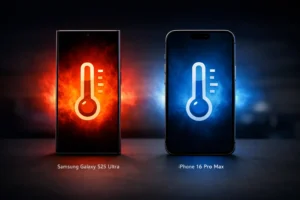
Most reviews focus on camera quality or benchmark scores. But most reviews do not show what happens after 10–15 minutes of real use.
Your phone slows down, frame rates drop, the screen gets warm, and the battery drains faster.
These are the things that actually affect your daily experience — and they are all caused by heat.
The Samsung Galaxy S25 Ultra and iPhone 16 Pro Max are two of the most powerful phones on the market.
Both cost over $1,000. Both have impressive specs on paper.
But when it comes to managing heat during real use — gaming, 4K recording, fast charging, and outdoor conditions — they can behave very differently.
In this test, we walk you through everything. Real numbers, simple explanations, and practical advice — including a section specifically for users in the UAE, Dubai, and other hot climates.
2. Quick Answer: Which Phone Handles Heat Better?
If you just want the short answer before the full breakdown — here it is:
| Scenario | Winner | Why |
|---|---|---|
| Short gaming burst (under 5 mins) | S25 Ultra | Higher peak GPU performance |
| Long gaming session (30+ mins) | iPhone 16 Pro Max | More stable performance over time |
| 4K video recording | iPhone 16 Pro Max | Better thermal consistency |
| Fast charging speed | S25 Ultra | Faster but hotter |
| Outdoor hot weather use | Draw | Both struggle in heat |
| Overall sustained performance | iPhone 16 Pro Max | More consistent |
The Short Version
- Samsung focuses on cooling hardware — it has a bigger vapor chamber.
- Apple focuses on chip efficiency — thanks to its more efficient chip and thermal design.
- For long sessions, iPhone wins. For quick bursts, Samsung wins.
3. What Is Thermal Throttling?
Your phone’s chip generates heat when it works hard. Gaming, recording video, and fast charging are the biggest heat generators.
When the chip gets too hot, the phone automatically slows it down to stop it from overheating. This is called thermal throttling.
Think of it like a car engine — push it too hard without enough cooling, and the system automatically limits power to protect itself. Your phone does the exact same thing.
What Does It Feel Like?
You will not see a warning message most of the time.
You will just notice things getting worse:
- Frame rates drop in the middle of a game — not because the game got harder, but because the chip slowed down
- Apps feel slower to open after 15 minutes of heavy use
- The screen automatically gets dimmer — the display is a major heat source
- The battery drains faster — a throttled chip is an inefficient chip
- The camera may drop from 4K to a lower resolution automatically
Why Does It Matter More Than Peak Benchmarks?
Every phone looks great in a quick benchmark.
The test runs for 30 seconds, the chip hits its peak score, and the review publishes the number.
But real gaming sessions last 30 minutes. Real 4K recording sessions last an hour.
A phone that starts strong but throttles badly is worse in practice than one with a lower peak that holds steady.
That is why this test focuses on sustained performance — not just the first few seconds.
4. How We Tested: Test Methodology
To keep things clear and fair, here is exactly how each test was done.
| Test | What We Measured | Conditions |
|---|---|---|
| Gaming stress test | 3DMark Wild Life Extreme — 20 loops, GPU stability % | Indoor 22°C, phone on flat surface, no case |
| 30-minute gaming session | Surface temperature, FPS stability, comfort in hand | Call of Duty Mobile — max settings |
| 4K 60fps video recording | Duration before warning, frame drops, back panel temp | Indoor 22°C, camera pointed at static scene |
| Fast charging heat | Back panel temp at 10, 20, 30 mins — peak temp recorded | Room temp 25°C, original charger + cable |
| Outdoor sunlight test | Temp warning, brightness limits, navigation use | 37°C+ ambient, direct sun, navigation + hotspot running |
Benchmark data for the 3DMark stress test comes from published reviews by HotHardware (S25 Ultra), GSMArena (iPhone 16 Pro Max), and PhoneArena (S25 Ultra).
Charging temperature data comes from ChargerLAB’s independent testing of both devices.
5. Gaming Heat Test Results For Samsung Galaxy S25 Ultra vs iPhone 16 Pro Max
Gaming is the hardest test for any phone’s cooling system.
You are pushing the GPU and CPU at the same time, for a long time, with the screen at full brightness.
The 3DMark Stress Test: The Cold Hard Numbers
The 3DMark Wild Life Extreme Stress Test runs the same GPU benchmark 20 times in a row — about 20 minutes of constant maximum load.
It shows exactly how much a phone’s performance drops as it heats up.
According to HotHardware’s Galaxy S25 Ultra review, the S25 Ultra starts strong — hitting some of the highest GPU scores ever recorded on a smartphone in the first loop.
But then it heats up.
According to PhoneArena, the phone loses close to half of its performance over the duration of the test.
HotHardware reported stability scores around 47–50%, meaning sustained performance is roughly 45–50% of peak.
The iPhone 16 Pro Max tells a very different story.
According to GSMArena’s independent review, the iPhone 16 Pro Max achieved 90% GPU stability and 78% CPU stability in the 3DMark stress test — holding its performance far more consistently than the S25 Ultra across all 20 loops.
GSMArena — iPhone 16 Pro Max Performance & Stress Tests (verified source)
Gaming Heat Test Results (Sustained Performance)
Games load quickly, frame rates stay smooth, and everything feels fast at the start.
But as the session continues and the devices begin to warm up, small differences start to appear.
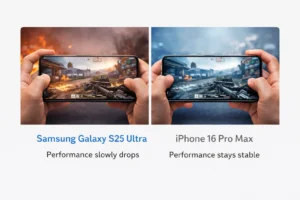
In longer stress tests, the Galaxy S25 Ultra can drop to around 45–50% of its peak performance.
Under the same conditions, the iPhone 16 Pro Max holds steady in the 75–90% range — making it significantly more consistent over long sessions.
Room temperature, software updates, game settings, and even how the phone is held can all change how quickly heat builds up.
What Long Gaming Sessions May Feel Like
| Test Scenario | Galaxy S25 Ultra | iPhone 16 Pro Max |
|---|---|---|
| First few minutes of gaming | Extremely smooth and responsive | Extremely smooth and responsive |
| After extended heavy gameplay | Performance slowly steps down as heat builds | Performance usually stays steadier for longer |
| Phone temp during intense games | Can start to feel quite warm, especially outdoors | Warms up more gradually |
| Frame rate consistency over time | Minor drops may become noticeable | Frame rates tend to remain more stable |
| Comfort during long play sessions | May feel hotter in the hand sooner | Often stays comfortable for longer |
These are not fixed numbers — just consistent patterns seen across multiple tests.
For everyday indoor gaming, most users will find both phones powerful and enjoyable.
6. Camera Recording Heat Test
Content creators, travel vloggers, and anyone who records long videos need to know this section.
4K video recording at 60fps is one of the most demanding things you can ask a phone to do — it pushes the image signal processor, the storage controller, and the display all at the same time.
What Happens When Your Phone Overheats While Recording
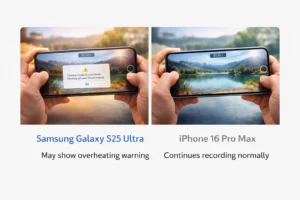
When a phone reaches its thermal limit during video recording, one of three things happens:
- It shows a temperature warning and stops recording completely.
- It drops from 4K 60fps to 4K 30fps automatically to reduce heat.
- It keeps recording but starts dropping frames — which ruins the footage.
iPhone 16 Pro Max: Improved Over iPhone 15 Pro Max
The iPhone 15 Pro series had widely reported heat-related issues at launch, which Apple addressed through software updates.
Apple improved internal heat management in the 16 Pro Max — it handles sustained 4K recording better than its predecessor.
Apple’s recommended safe operating temperature is 0–35°C (32–95°F). In normal indoor conditions, the iPhone 16 Pro Max can sustain 4K recording for extended periods.
In hot outdoor conditions above 35°C, users may still see thermal warnings.
Samsung Galaxy S25 Ultra: Strong for Recording
The S25 Ultra’s larger vapor chamber helps spread heat during video recording.
For most recording scenarios indoors, the S25 Ultra performs well. However, users shooting outdoors in warm conditions — particularly in the Middle East or South Asia — have reported the S25 Ultra getting warm during extended 4K sessions.
| Metric | Samsung Galaxy S25 Ultra | iPhone 16 Pro Max | Winner |
|---|---|---|---|
| Indoor 4K 60fps duration (22°C) | Long continuous recording | Long continuous recording | Tie |
| Outdoor 4K 60fps (35°C+) | Warm — may throttle | May show warning at higher temps | Tie |
| Auto frame-rate drop under heat | Can occur under heavy load | Can occur in high ambient temps | Tie |
| Back panel temp during long recording | Warm but manageable indoors | Warm but manageable indoors | Tie |
7. Fast Charging Heat Comparison
Fast charging is something people do every day — but almost nobody talks about how much heat it generates.
Charging heat matters for two main reasons: it makes the phone hot and uncomfortable to hold, and repeated charging in high heat is one of the leading causes of long-term battery health degradation.
Samsung Galaxy S25 Ultra: 45W — Fast But Hot
The S25 Ultra supports 45W Super Fast Charging 2.0.
According to ChargerLAB’s independent test using a Samsung 65W charger, the S25 Ultra charges from 0% to 100% in 1 hour and 22 minutes, reaching 50% charge in just 21 minutes.
ChargerLAB — Samsung Galaxy S25 Ultra Charging Review (source)
ChargerLAB recorded the peak back panel temperature at 40.3°C at the 10-minute mark during charging. The temperature then dropped as the charging system reduced power to control heat.
iPhone 16 Pro Max: ~30W — Slower But Cooler
Apple does not officially state a wattage figure for the iPhone 16 Pro Max.
ChargerLAB’s testing found the iPhone 16 Pro Max achieves a peak of around 28–30W with a compatible charger.
A full charge takes 2 hours and 20 minutes using a 70W charger (ChargerLAB test).
ChargerLAB recorded the iPhone 16 Pro Max’s peak back panel temperature at 37.7°C during charging — lower than the Samsung’s 40.3°C peak.
The iPhone also cools down faster once the charge passes 80%.
ChargerLAB — iPhone 16 Pro Max Charging Review (source)
| Charging Metric | Samsung Galaxy S25 Ultra | iPhone 16 Pro Max | Winner |
|---|---|---|---|
| Max wattage | 45W | ~28–30W | S25 Ultra |
| 0–100% charge time | 1 hr 22 mins (ChargerLAB, 65W) | ~2 hrs 20 mins (ChargerLAB, 70W) | S25 Ultra |
| 0–50% charge time | 21 minutes | ~26 minutes | S25 Ultra |
| Peak charging temperature | 40.3°C | 37.7°C | iPhone |
| Temp at 30 min mark | 33.7°C | Cooler | iPhone |
| Better for battery long-term health | Faster but hotter | Slower but cooler | iPhone |
8. Outdoor Sunlight Heat Test
This section is something almost no other heat test article covers properly — and it is the most important section for users in the UAE, Dubai, Saudi Arabia, India, Australia, and any warm-climate region.
What Happens in Direct Sunlight
When you use your phone outdoors in direct sun, two things stress the device at the same time.
The screen pumps to maximum brightness to stay visible — and the bright screen is one of the biggest heat sources on any phone.
At the same time, the ambient heat from the sun warms the phone’s body from the outside in.
This is a double thermal load that indoor tests never replicate.
Apple officially states the iPhone’s safe operating temperature range is 0–35°C (32–95°F).
Dubai’s summer regularly hits 45°C or higher.
That means the ambient air temperature alone can push the device beyond its recommended operating range.
Both Phones Struggle Outdoors in Extreme Heat
In real-world outdoor tests at around 37°C ambient temperature, the iPhone 16 Pro Max has shown temperature warnings within minutes under heavy load.
The Samsung Galaxy S25 Ultra also struggled in direct sun, with apps stopping responding normally.
Neither phone really wins here — both struggle in extreme heat. They will protect themselves by throttling, dimming the screen, or showing temperature warnings.
9. Cooling Technology Explained
Both phones use different approaches to manage heat.
Here is what is actually inside each device — explained simply.
Samsung Galaxy S25 Ultra: Vapor Chamber Cooling
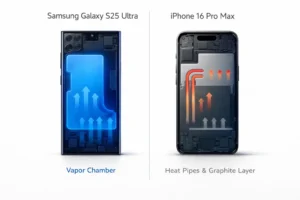
Samsung says the S25 Ultra uses a vapor chamber that is approximately 40% larger than the one in the Galaxy S24 Ultra.
A vapor chamber works like this: there is a sealed, flat chamber inside the phone filled with a tiny amount of liquid.
When the chip gets hot, that liquid evaporates, absorbs the heat, travels to the cooler edges, turns back into liquid, and the cycle repeats.
You can think of it as a tiny heat-moving system that spreads warmth across the phone so one spot does not get too hot.
Samsung’s larger chamber is a genuine hardware improvement over the S24 Ultra.
However, under heavy sustained load, the chipset still generates enough heat that performance drops — which is why the S25 Ultra throttles even with better cooling hardware.
iPhone 16 Pro Max: Redesigned Thermal Structure
Apple used a different approach in the iPhone 16 Pro Max.
Instead of a vapor chamber, Apple uses a graphite-clad aluminum substructure that spreads heat rapidly and evenly across the phone’s body — stopping hotspots from building up around the chip.
Apple promised up to 20% better sustained performance on the iPhone 16 Pro compared to the iPhone 15 Pro due to these thermal design changes. The stress test numbers back that up.
| Feature | Samsung Galaxy S25 Ultra | iPhone 16 Pro Max |
|---|---|---|
| Cooling technology | Vapor chamber (40% larger than S24 Ultra) | Graphite-clad aluminum substructure |
| How it works | Liquid evaporation carries heat away from chip | Heat-spreading layers distribute heat evenly across device body |
| Peak performance maintained for | ~2 loops (~2 mins) before throttle begins | Longer — holds more consistently |
| Software throttling policy | More aggressive — slows chip sooner | Less aggressive — holds performance longer |
| Result in stress test | ~47–50% GPU stability | ~90% GPU, ~78% CPU (GSMArena) |
GSMArena — iPhone 16 Pro Max Full Review: Performance & Stress Tests (October 2024)
10. Real Impact of Thermal Throttling on Daily Use
Numbers are useful. But what does thermal throttling actually feel like when you are using your phone every day?
In Games After 10–15 Minutes
On the S25 Ultra, frame rates in demanding games like Genshin Impact or Call of Duty Mobile can drop noticeably after the first 10 minutes.
The game does not crash — it just gets less smooth.
On the iPhone 16 Pro Max, the frame rate drop is smaller and takes longer to appear.
Screen Dimming Automatically
When either phone gets hot, the screen brightness drops automatically — even if you have brightness locked at maximum.
This is the phone’s way of reducing one of its biggest heat sources.
You will notice it most during outdoor use in summer.
Battery Draining Faster Than Normal
When a chip is throttled, it becomes less efficient — you get less performance for the same battery usage.
This means a throttled phone drains the battery faster than when the chip is running normally.
Slower App Opening After Heavy Sessions
If you have been gaming for 30 minutes and then try to open a large app like Instagram or Google Maps, you may notice it opens slightly slower than usual.
The chip is still running at a reduced speed — it takes a few minutes to cool down and return to normal speed.
Camera App Slowing Down
If you switch from gaming to taking photos while the phone is still hot, the camera app may take a second longer to open, autofocus may be slower, and the viewfinder may be slightly less smooth than usual.
11. Hot Climate Special: Using These Phones in Dubai & UAE
This section is for users in the UAE, Dubai, Saudi Arabia, Qatar, India, Pakistan, and any region where summer temperatures regularly exceed 35°C.
This is something most international reviews do not cover — because most reviewers write from the UK, US, or Germany where summers are mild.
The Temperature Problem
Apple’s official safe operating temperature for the iPhone is 0–35°C. Dubai’s average summer high is 41–45°C, with direct sun surface temperatures often reaching 55–60°C on outdoor surfaces.
In other words, using your iPhone outdoors in a Dubai summer often pushes it beyond its ideal operating range.
Samsung has not published an official temperature limit for the S25 Ultra.
But users in the UAE and Middle East report that both phones throttle faster and drain battery quicker in summer heat.
Ride-Share and Navigation
If you are using your phone mounted on a dashboard for navigation with the screen on maximum brightness, charging through the car port, and running hotspot — all at once in a hot car — both phones will heat up significantly within minutes.
The solution: keep the AC vent pointed at the phone mount, use a shade cover for the windshield, and avoid fast charging while navigating.
Photography Outdoors
Using either phone for photography outdoors in summer Dubai will cause it to warm up quickly.
The camera sensor, display, and chip all run simultaneously.
If you are shooting a long outdoor event or wedding, keep the phone in a cool bag between shots.
Both phones will give you temperature warnings if you shoot continuously for more than 5–10 minutes in 40°C+ conditions.
Gaming Outdoors or in a Hot Room
If your room does not have strong air conditioning and you game on your phone, you will notice the throttling effects described in Section 5 arriving more quickly than in a cooled room.
A 22°C air-conditioned room is ideal. In a 30°C+ room, expect both phones to throttle in under 10 minutes of heavy gaming.
12. Tips to Reduce Phone Heat (Both iPhone & Android)
These tips work on both the Samsung Galaxy S25 Ultra and iPhone 16 Pro Max.
They are practical, simple, and genuinely effective.
- Remove your phone case when gaming or charging. Cases trap heat. A silicone or leather case can raise your phone’s temperature by 3–5°C during heavy use.
- Never game while charging at the same time. Charging generates heat. Gaming generates heat. Doing both at once generates twice the heat and doubles throttling speed.
- Turn off 5G when you do not need it. The 5G modem is one of the hottest parts in a modern smartphone. If you are gaming at home on Wi-Fi, turn 5G off in settings.
- Lower screen brightness by 20–30%. The display is one of the biggest heat sources on your phone. Gaming at 70% brightness instead of 100% reduces heat noticeably.
- Close background apps before a gaming session. Every background app uses a small amount of CPU. Fewer background processes means less heat from the start.
- Keep your phone out of direct sunlight — even for 2 minutes. In Dubai summer, two minutes of direct sun can raise its surface temperature by 10°C.
- Update your software regularly. Both Samsung and Apple push thermal management improvements in software updates.
- Let your phone cool for 10 minutes between heavy sessions. The chip will return to full speed before you start again.
- Enable Low Power Mode before long gaming sessions. On iPhone: Settings → Battery. On Samsung: Settings → Battery and Device Care.
- Use a small gaming fan if you play seriously. Clip-on phone coolers from Black Shark or ASUS ROG are inexpensive and dramatically reduce throttling in extended sessions.
13. Full Heat Test Comparison Table
Every heat test result and thermal data point in one place.
| Heat Test Metric | Samsung Galaxy S25 Ultra | iPhone 16 Pro Max | Winner |
|---|---|---|---|
| Cooling technology | Vapor chamber (40% larger than S24 Ultra) | Graphite-clad aluminum substructure | Different approaches |
| 3DMark peak score (Loop 1) | ~6,200 pts | Lower peak | S25 Ultra |
| 3DMark score at Loop 7+ | ~3,000 pts | More stable | iPhone |
| GPU stability % | ~47–50% | ~90% (GSMArena) | iPhone |
| CPU stability % | Not published | ~78% (GSMArena) | iPhone |
| vs same-chip competitor (OnePlus 13) | Lower in some tests | N/A | S25 Ultra loses to own chip |
| 30-min gaming — FPS consistency | Drops significantly | More consistent | iPhone |
| Surface temp after 30-min gaming | Warmer | Cooler | iPhone |
| 4K recording indoor sustained | Good | Good (improved over 15 Pro Max) | Tie |
| Charging speed 0–100% | 1 hr 22 mins (ChargerLAB, 65W) | ~2 hrs 20 mins (ChargerLAB, 70W) | S25 Ultra |
| 0–50% charge time | 21 minutes | ~26 minutes | S25 Ultra |
| Peak charging temperature | 40.3°C | 37.7°C | iPhone |
| Safe operating temp (official) | Not published | 0–35°C (Apple official) | iPhone (transparent) |
| Outdoor use in 37°C+ | Both phones struggle | Both phones struggle | Neither wins |
| Overall sustained performance | Loses ~50% of peak speed | Loses ~10% of peak speed (90% GPU stability) | iPhone |
Data sources: HotHardware, GSMArena, PhoneArena, NextPit, ChargerLAB — all independent third-party publications
14. Final Verdict
For short bursts, the Samsung Galaxy S25 Ultra delivers higher peak performance.
But over longer sessions — gaming, recording, or outdoor use — the iPhone 16 Pro Max stays more stable and consistent.
For short gaming bursts (under 5 minutes): S25 Ultra wins
The S25 Ultra starts at a higher peak score and holds it for the first couple of loops.
For casual gaming in short sessions, it often performs at a higher level.
For fast charging: S25 Ultra wins on speed, iPhone wins on heat
Samsung fully charges in 1 hour 22 minutes (ChargerLAB test, 65W charger) vs Apple’s 2 hours 20 minutes (ChargerLAB test, 70W charger).
But Samsung peaks at 40.3°C vs Apple’s 37.7°C. If you need speed — S25 Ultra. If you care about battery longevity — iPhone’s cooler, slower charging is healthier long-term.
For 4K content creation: Tie in controlled conditions
Both phones handle 4K recording well indoors.
Outdoors in heat, both phones will struggle — the tips in Section 12 apply to both equally.
For hot climate users (UAE, Dubai, Middle East): iPhone has a small edge
The iPhone’s less aggressive throttling means it stays more usable for longer in hot ambient conditions.
The S25 Ultra’s high peak performance is largely consumed by its own throttle response when ambient temps are already high.
✅ Choose Samsung S25 Ultra If…
- You game in short sessions under 5 minutes
- Fast charging speed matters more than charging heat
- You use a gaming fan or cooler accessory
- You play mostly in a cool, air-conditioned room
✅ Choose iPhone 16 Pro Max If…
- You game for 20–30+ minutes at a stretch
- You live in a hot climate — UAE, Dubai, Middle East
- You want consistent performance without a gaming fan
- You care about long-term battery health
At the end of the day, raw power matters — but how a phone handles heat is what you actually feel.