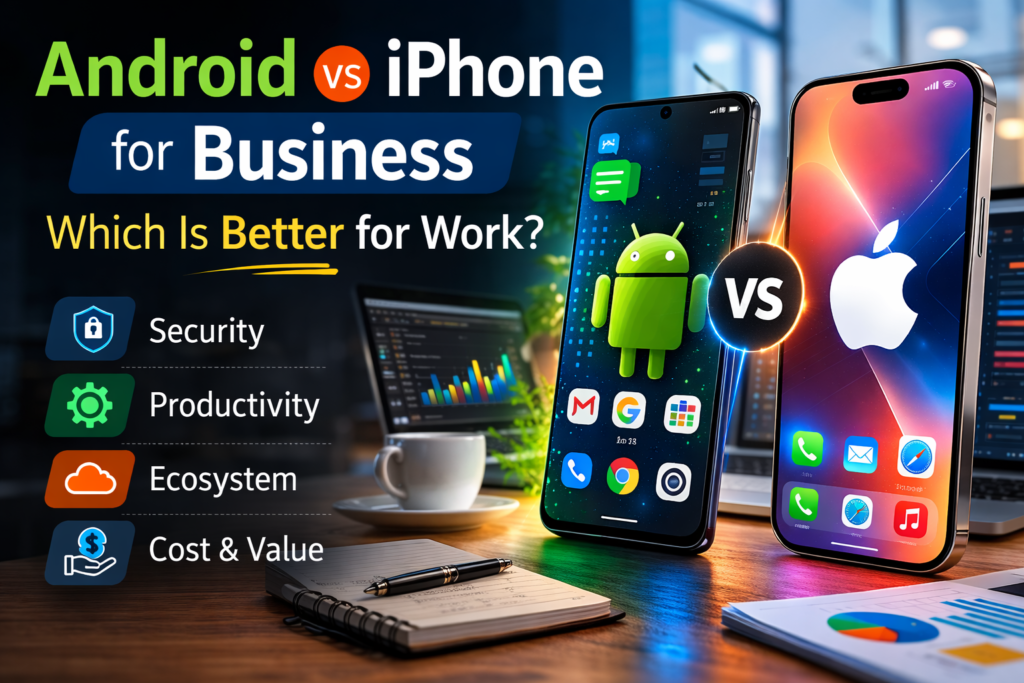
Why Android vs iPhone for Business Is Such a Big Decision
Choosing between Android and iPhone for your business is not just a personal preference.
It is a decision that affects your whole team.
It touches security, cost, device management, productivity, and how well your people can do their jobs every single day.
I have spent years evaluating both platforms from a business perspective.
The truth is — there is no single right answer.
But there is a right answer for your business.
Comparison: Android vs iPhone for Business
Here is a side-by-side look at the key business factors before we go deeper.
| Feature | iPhone (iOS) | Android |
|---|---|---|
| Security | Very High — closed ecosystem, same-day updates | High — Samsung Knox, Google Play Protect |
| Device Management | Apple Business Manager + Intune/Jamf | Android Enterprise + Samsung Knox Suite |
| Software Updates | 5–7 years, all devices same day | Up to 7 years on Samsung S25 series |
| Device Price Range | From $599 (iPhone 17e) to $1,199+ | From $150 (budget) to $1,299+ |
| Customization | Limited — consistent, controlled experience | High — open source, IT-configurable |
| Windows PC Integration | Basic Bluetooth/iCloud sync | Deep — Phone Link, screen mirror, file transfer |
| Rugged Device Options | No official rugged models from Apple | Yes — Zebra, CAT, Honeywell and others |
| App Ecosystem | 1.8M apps — higher-revenue enterprise apps | 3.5M apps — more variety and customization |
| Best For | Finance, healthcare, government, creative teams | Field workers, budget fleets, Windows-based teams |
Security: Which Platform Is Safer for Business?
Security is the number one concern for most businesses when choosing a phone.
A data breach can cost your company money, reputation, and customer trust.
Here is how each platform handles it.
iPhone Security for Business
Apple runs a closed ecosystem. Every app goes through a strict review before it reaches the App Store.
iOS uses a Secure Boot Chain — every piece of software is verified by Apple before it runs.
The Secure Enclave chip stores sensitive data like passwords and biometrics in a protected area completely separate from the main processor.
iOS 26 is the current version of Apple’s mobile operating system, and Apple continues to provide long-term security updates for supported iPhones.
Apple supports iPhones for up to 7 years.
Every supported device receives security updates on the same day across the world — a major advantage for IT teams managing a large fleet.
iOS 26 also introduced Apple Intelligence with live translation in multiple languages including English, French, German, Spanish, Japanese, Korean, and more, all running on-device for maximum privacy.
Android Security for Business
Android has a reputation for being less secure, but that thinking is outdated.
Google Play Protect scans over 200 billion apps daily.
For enterprise use, Samsung Knox is one of the most powerful security platforms available on any mobile device.
Knox uses hardware-level security starting at the chip.
It includes real-time kernel protection, a Knox Vault for storing sensitive credentials, and boot-time protections that detect tampering the moment a device powers on.
Knox meets government-grade security certifications from governments around the world.
The Samsung Galaxy S25 series, released in February 2025, comes with a confirmed 7 years of OS and security updates — matching Apple’s update commitment.
Samsung delivers monthly security patches to its Galaxy flagship devices, making them a genuinely viable choice for long-term enterprise deployments.
iPhone wins on consistency — every device gets the same update on the same day.
Android with Samsung Knox is equally powerful at the hardware level.
Samsung’s Galaxy S25 now also commits to 7 years of updates, closing the gap significantly.
For regulated industries like finance, healthcare, and government, iPhone remains the most common default.
Device Management (MDM): Who Controls the Devices?
If your business deploys phones to employees, you need Mobile Device Management.
MDM lets your IT team push apps, enforce security policies, wipe lost devices, and manage the whole fleet remotely.
Apple Business Manager
Apple Business Manager (ABM) works with MDM solutions like Microsoft Intune and Jamf.
iPhones purchased through Apple or an authorized reseller can be automatically enrolled and configured the moment an employee first turns the device on — zero-touch deployment, no manual setup needed.
Because all iPhones share the same hardware and software, IT teams have a consistent, predictable environment. Every device behaves the same way — no surprises, no manufacturer variations to work around.
Android Enterprise and Samsung Knox Suite
Android Enterprise provides a matching management framework.
IT teams can deploy fully managed corporate devices, or use Work Profile to separate business data from personal data on BYOD devices.
Google also offers a zero-touch enrolment programme for bulk deployment.
Samsung Knox Suite adds deeper control on top of Android Enterprise — dual VPN routing, hardware-backed containerization, certificate management, and real-time device health monitoring.
For large Samsung fleets, this is an extremely powerful toolkit.
The challenge comes when you mix Android devices from multiple manufacturers.
Each maker may have different MDM capabilities, which adds complexity for IT teams managing a diverse fleet.
iPhone is simpler to manage at scale — one hardware standard, one OS, same-day updates.
Android with Samsung Knox Suite is equally powerful but works best when you standardise on Samsung devices. Mixed Android fleets from multiple manufacturers add management complexity.
What Does Each Platform Really Cost Your Business?
The upfront price is only part of the story.
For businesses, Total Cost of Ownership (TCO) matters more — that includes purchase price, how long the device is useful, repair costs, and resale value.
iPhone Costs
With the iPhone 17 lineup now the current flagship, the iPhone 17 starts at $799 with 256GB of storage.
For businesses wanting a more affordable entry point, the iPhone 17e starts at $599 (released March 2026).
Apple does not offer budget or rugged devices.
Apple provides long-term software and security support for supported iPhones, which means the cost per year can be competitive with cheaper Android devices that need replacing more often.
Android Costs
Android gives businesses more flexibility at every price point.
The Samsung Galaxy S25 starts at $799 for flagship use.
Samsung Galaxy A35 or Galaxy A55 are common mid-range Android choices for enterprise fleets, with microSD support at a lower cost.
At the premium end, the Galaxy S25 Ultra starts at $1,299.
| Cost Factor | iPhone | Android |
|---|---|---|
| Entry price (budget) | $599 (iPhone 17e) | From ~$150 (various brands) |
| Standard flagship | $799 (iPhone 17) | $799 (Galaxy S25) |
| Premium flagship | $1,199 (iPhone 17 Pro Max) | $1,299 (Galaxy S25 Ultra) |
| Software support | Up to 7 years | Up to 7 years (Galaxy S25 series) |
| Resale value | High | Moderate (flagships hold value best) |
| Rugged options | None from Apple | Zebra, CAT, Honeywell and others |
Android wins on upfront flexibility — you can equip a full frontline team at a fraction of iPhone cost.
iPhone wins on predictability — one hardware standard, one price tier.
Both flagship platforms now offer comparable software support at up to 7 years.
Productivity: Which Phone Gets More Done?
Both platforms support every major productivity app — Microsoft 365, Google Workspace, Slack, Salesforce, Zoom, and Teams run perfectly on both.
The real difference is in ecosystem integration and the unique tools each platform brings to business workflows.
iPhone + Apple Ecosystem
If your team uses MacBooks and iPads alongside iPhones, Apple’s ecosystem is extremely hard to beat.
Handoff, AirDrop, Continuity Camera, and iCloud sync create a seamless flow across all devices.
Start a document on your iPhone, finish it on your Mac without thinking about it.
iOS 26 includes Apple Intelligence with live translation, call screening, writing tools, and visual AI features.
Because Apple Intelligence runs on-device, your business data never leaves the phone — an important distinction for businesses handling sensitive or confidential information.
Android + Windows Integration
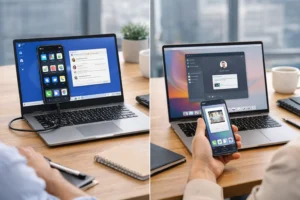
Android has a significant advantage for teams using Windows PCs.
Microsoft’s Phone Link app offers deep integration — especially with Samsung devices.
Mirror your phone screen on your PC, drag and drop files between them, make and receive calls from your computer, and even run Android apps directly on your Windows desktop.
Samsung DeX takes this even further. Connect a Galaxy phone to a monitor, keyboard, and mouse, and it transforms into a full desktop-like interface.
For employees who travel frequently or work across multiple sites, DeX can replace a laptop for many everyday tasks.
Galaxy AI for Business
Samsung Galaxy AI on the S25 series includes live call translation, audio eraser for video editing, and advanced camera tools.
Samsung confirmed that its core Galaxy AI features are free on an ongoing basis, though advanced or third-party AI features may require separate subscriptions in the future.
Which Business Type Should Use Which Phone?
There is no universal answer.
The right platform depends entirely on what your business does and who is using the phone.
Here is a practical guide by business type.
| Business Type | Best Choice | Why |
|---|---|---|
| Finance & Banking | iPhone | Regulated industry, consistent same-day security updates |
| Healthcare | iPhone | HIPAA compliance, controlled update environment |
| Field Workers / Logistics | Android | Rugged options, barcode scanning, lower cost per device |
| Creative Agencies | iPhone | Apple ecosystem, ProRes video, Final Cut integration |
| Retail / Hospitality | Android | Budget devices, kiosk mode via Knox, barcode support |
| Tech / Startups | Either | Depends on team preference and existing tech stack |
| Government / Defence | iPhone | Closed ecosystem, DoD approved, FIPS compliance |
| Construction / Manufacturing | Android | Rugged Android devices built to survive harsh environments |
iPhone for Business — Pros and Cons
| ✅ iPhone Pros | ❌ iPhone Cons |
| Same-day security updates across every supported device | No budget-friendly option below $599 (iPhone 17e) |
| Simple, predictable MDM via Apple Business Manager | No official rugged devices from Apple |
| Up to 7 years of iOS support per device | Limited deep integration with Windows PCs |
| Seamless Apple ecosystem — Mac, iPad, iCloud sync | Closed ecosystem — less room for IT customisation |
| High resale value — stronger long-term cost per year | No expandable storage on any iPhone model |
| Trusted in regulated industries (finance, healthcare, govt) | Less hardware variety for specialist or field worker roles |
Android for Business — Pros and Cons
| ✅ Android Pros | ❌ Android Cons |
| Wide range of price points — budget to premium flagship | Security quality varies across different device manufacturers |
| Rugged devices for field workers (Zebra, CAT, Honeywell) | Mixed fleets from multiple Android brands harder to manage |
| Deep Windows PC integration via Microsoft Phone Link | Update timing varies — only Samsung S25 series guarantees 7 years |
| Samsung Knox — hardware-level enterprise security | Lower resale value on non-flagship Android models |
| Samsung DeX turns phone into a desktop interface | Some Galaxy AI advanced features may require fees in future |
| Up to 7 years OS + security updates on Galaxy S25 series | More vulnerable to sideloaded malware if devices are unmanaged |
Top Business Phones
Top iPhones for Business
| Model | Best For | Starting Price |
|---|---|---|
| iPhone 17 Pro Max | Executives, power users, max camera | $1,199 |
| iPhone 17 Pro | Professionals, creative teams | $1,099 |
| iPhone 17 | Standard business users | $799 |
| iPhone 17e | Budget-conscious teams, entry Apple Intelligence | $599 |
| iPhone 16 | Previous gen — good value after price cut | $699 |
Top Android Phones for Business
| Model | Best For | Starting Price |
|---|---|---|
| Samsung Galaxy S25 Ultra | Executives, large Knox deployments, S Pen | $1,299 |
| Google Pixel 9 Pro | AI-first workflows, Google Workspace teams | $999 |
| Samsung Galaxy S25 | Mid-range flagship with full Knox support | $799 |
| Samsung Galaxy A35 5G | Budget-friendly fleet deployment, microSD support | ~$399 |
Final Verdict: Android vs iPhone for Business
After looking at security, management, cost, productivity, and real-world use cases — here is my honest take.
- Your team works in finance, healthcare, or government
- You already use Macs or iPads
- You want the simplest MDM setup
- You need consistent, same-day security updates across all devices
- Your employees are already comfortable with iOS
- You need to equip a large or frontline team on a budget
- Your field workers need rugged devices
- Your team runs Windows PCs and needs deep integration
- You want maximum hardware flexibility
- You need kiosk mode, barcode scanning, or specialist OS builds
Many businesses end up using both — executives on iPhones, frontline staff on Android.
That is completely fine. Modern MDM tools handle mixed fleets with ease.
The key is choosing the right tool for the right role.
FAQs
Q: Is iPhone or Android better for a small business?
A: It depends on your team and existing tech. If your team uses Macs or iPads, iPhone integrates seamlessly. If you need to equip a larger team affordably or use Windows PCs, Android gives you more options. Both work well with Google Workspace or Microsoft 365.
Q: Which is more secure for business — iPhone or Android?
A: Both are secure when properly managed. iPhone has an advantage in consistency — every device gets the same security update on the same day. Android with Samsung Knox is equally powerful at the hardware level. Samsung’s Galaxy S25 series now also commits to 7 years of updates, matching Apple’s timeline. For high-security regulated industries, iPhone is typically preferred.
Q: Can I manage iPhones and Android phones together in one business?
A: Yes. MDM tools like Microsoft Intune, Jamf, and VMware Workspace ONE can manage both iOS and Android devices from a single dashboard. Many businesses successfully operate mixed fleets, often using iPhones for executive and office staff and Android for frontline workers.
Q: Does Android work well with Microsoft 365?
A: Yes. All Microsoft 365 apps — Outlook, Teams, Word, Excel, and OneDrive — work fully on Android. Samsung devices also have deep integration with Windows PCs via Microsoft Phone Link, which can significantly boost productivity for teams working on Windows laptops.
Q: What is Samsung Knox and do I need it?
A: Samsung Knox is a built-in security and management platform on Samsung Galaxy devices. It adds hardware-level encryption, containerization, and remote management tools on top of standard Android Enterprise. If you are deploying Samsung phones in a business, Knox is already active on enterprise devices and is highly recommended.
Q: Which phone is best for field workers and warehouse staff?
A: Android is the better choice for field workers. Rugged Android devices from Zebra, CAT, and Honeywell are built to survive drops, dust, water, and extreme temperatures. Apple has never made an official rugged iPhone. Samsung Galaxy A35 5G is a reliable and affordable non-rugged option for teams that need a mid-range Android device for everyday fieldwork.
Useful Resources
- Official Apple enterprise deployment: Apple Business Manager — apple.com
- Samsung enterprise security platform: Samsung Knox — Secured by Knox
- Android Enterprise device list: Android Enterprise Recommended Devices
1 thought on “Android vs iPhone for Business: Which Is Better for Work?”
Pingback: Samsung Galaxy S25 Ultra vs iPhone 16 Pro Max Charging Speed Test - Real World Results 2026