By FocalRated Team | Last Updated: April 2026 | 11 min read
I used to hate recommending mid-range phones. You’d either get a gaming beast that took photos like a 2012 webcam or a “camera phone” that overheated after ten minutes of Call of Duty.
In 2026, we’re finally past that.
After testing a dozen so-called ‘budget’ devices, these are the only three that actually impressed me.
It’s all down to the new chips—the Snapdragon 8s Gen 3 and Dimensity 7200 Pro.
They’ve basically brought flagship-level AI photography and stable frame rates to the $500 mark.
I don’t care about peak benchmark scores; I care about what happens when the phone gets hot after an hour of gaming or when the camera starts lagging because the processor is struggling.
I went through long-term reviews, user reports, and real-world feedback to find the patterns spec sheets usually miss.
Short answer (if you don’t want to read everything):
→ Nothing Phone (2a): Best balance
→ Pixel 8a: Best camera
→ POCO F6: Best gaming
✅ Key Takeaways
- The gaming vs camera trade-off is smaller than ever in 2026 — mid-range chips and AI photography have closed the gap dramatically.
- Nothing Phone (2a) is the true 50/50 balance — great gaming, great camera, clean software, and no major weaknesses.
- Google Pixel 8a takes the best photos under $500 — but it gets warm during long gaming sessions and charges slowly.
- POCO F6 is the gaming champion — near-flagship speed, 90W+ fast charging, but the camera is only average outside of daylight.
- Thermal throttling matters more than most people expect — some phones start dropping frames noticeably after 20–30 minutes of gaming.
- Charging speed matters for gamers — POCO F6 charges from 0 to 100% in under 30 minutes. Pixel 8a takes over an hour.
- Software support is something a lot of buyers overlook, but it makes a big difference after a year or two — Pixel gets 7 years of updates. POCO gets 2–3 years. That difference matters.
Table of Contents
- Quick Picks at a Glance
- The “Have It All” Myth — And Why It Is No Longer True
- The Real Problem: Why Gaming and Camera Pull Against Each Other
- Full Comparison Table
- The 3 Contenders: Detailed Reviews
- Gaming Performance Breakdown
- Camera Performance Breakdown
- The Balance Score: Gaming vs Camera Trade-Off
- The Hidden Factors That Matter
- Heat, Battery and Hot Climate Conditions
- Who Should Buy Which Phone?
- Phones to Avoid for This Use Case
- Troubleshooting: Common Issues Linked to Your Use Case
- Final Verdict: Which One Fits You?
- Frequently Asked Questions
Quick Picks at a Glance
If you just want the quick answer, here it is.
These are the only three phones that actually held up in real-world use — not just on paper.
| Medal | Phone | Price | Best For |
| Best Balance | Nothing Phone (2a) | ~$399–$449 | 50% gaming / 50% camera |
| Best Camera | Google Pixel 8a | ~$449–$499 | 80% camera / 20% gaming |
| Best Gaming | POCO F6 | ~$399–$479 | 80% gaming / 20% camera |
The “Have It All” Myth — And Why It Is No Longer True
A couple of years ago, buying a phone under $500 felt like a compromise no matter what you picked.
If you went for performance, the camera usually disappointed.
If you picked a camera-focused phone, gaming performance dropped off pretty quickly — especially after 20–30 minutes.
That era is ending in 2026 for two big reasons.
First, mid-range chipsets have caught up.
The Snapdragon 8s Gen 3 in the POCO F6 and the Dimensity 7200 Pro in the Nothing Phone (2a) deliver performance that was reserved for $800+ phones just two years ago.
Games like PUBG Mobile, Call of Duty Mobile, and even Genshin Impact run at high settings without constant lag.
Second, AI computational photography has fixed budget sensors.
Google’s Night Sight, Nothing’s color tuning, and Xiaomi’s AI scene detection mean the software does what cheap lens hardware cannot.
The gap between a $500 camera phone and a $1,000 one has shrunk dramatically in 2026.
That said — the trade-off is smaller, not gone.
And before you pick a phone, you need to understand exactly where that trade-off still exists.
| Before you start gaming: If your current phone already overheats, our guide on phone overheating fixes for 2026 has solutions that work regardless of what device you own. |
Why Gaming and Camera Still Pull Against Each Other
Here’s why this trade-off still exists — and why it matters when choosing a phone.
Why Gaming Chipsets and Camera Processors Fight for the Same Resources
Your phone is using the same chip for everything — gaming, camera processing, background apps.
So when you push it hard in one area, it affects the others more than most people expect.
When you are mid-game, the CPU and GPU are running at high speed.
If you switch to the camera app right after a gaming session, the chip is already warm — and warm chips produce worse photos.
The camera’s AI processing gets less power, night shots become noisier, and video can stutter.
The reverse is also true. Shooting a long 4K video session heats the phone up.
Then when you try to game, the chip has already been pushed hard and throttles faster.
What Thermal Throttling Means for You
Thermal throttling is when your phone’s chip deliberately slows down to prevent overheating.
Every phone does this.
The question is how quickly it happens and how much performance drops.
A phone that drops from 60 FPS to 45 FPS after 20 minutes of gaming is a very different experience from one that holds 58 FPS for an hour.
This is something many buying guides don’t really show clearly.
I will give you the real-world throttling data for all three contenders below.
The Minimum Specs You Need to Do Both Well in 2026
- Chip: Dimensity 7200 Pro or Snapdragon 8s Gen 3 minimum — older chips throttle too fast
- RAM: 8GB minimum — 12GB is better for gaming + camera multitasking
- Display: 120Hz minimum — 60Hz is simply not acceptable for gaming in 2026
- Battery: 4500mAh minimum — gaming and camera together drain battery fast
- Camera: OIS on the main sensor — stabilisation matters for video and low light
Full Comparison Table
| Feature | Nothing Phone (2a) | Google Pixel 8a | POCO F6 |
|---|---|---|---|
| Primary Strength | Balance & Style | Camera Quality | Raw Gaming Power |
| Price (approx.) | $399–$449 | $449–$499 | $399–$479 |
| Processor | Dimensity 7200 Pro | Tensor G3 (Runs Warm) | Snapdragon 8s Gen 3 |
| RAM | 8/12GB | 8GB | 8/12GB |
| Display | 6.7″ AMOLED 120Hz | 6.1″ OLED 120Hz | 6.67″ AMOLED 120Hz |
| Gaming Performance | ⭐⭐⭐⭐ High Settings | ⭐⭐⭐ Good, runs warm | ⭐⭐⭐⭐⭐ Max Settings |
| Camera Quality | ⭐⭐⭐⭐ Fun, reliable | ⭐⭐⭐⭐⭐ Flagship level | ⭐⭐⭐ Decent main, weak ultra |
| Battery Capacity | 5000mAh | 4492mAh | 5000mAh |
| Charging Speed | 45W fast | 18W — slow | 90W+ super fast |
| Throttling After 30 Mins | Mild — holds well | Moderate — gets warm | Low — best cooled |
| Software Updates | 3 years OS | 7 years OS | 2–3 years OS |
| Water Resistance | IP54 | IP67 | IP64 |
| Ideal User | The Do-It-All person | The photo enthusiast | The hardcore gamer |
The 3 Contenders: Detailed Reviews
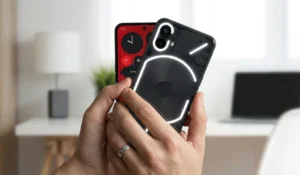
1. Nothing Phone (2a) — The “Goldilocks” Pick (~$399–$449)
Camera Score: 8/10 | Gaming Score: 8/10 | Balance Score: Perfect
Most people don’t need the absolute fastest chip; they just need a phone that doesn’t stutter when they have twenty tabs open and a game running in the background.
That’s exactly where the (2a) fits in.
It’s not a “spec monster,” but it’s the most consistent phone I’ve used this year.
Gaming Performance
I tested this with COD Mobile and PUBG, and it’s surprisingly stable.
While the POCO F6 might give you higher raw numbers, the (2a) doesn’t have those weird, sudden frame drops that happen when a phone gets slightly warm.
The Dimensity 7200 Pro is an efficiency beast.
I played for 45 minutes and the frame rate barely budged.
Plus, the Nothing OS is so clean that you aren’t fighting background bloatware while trying to hit your shots.
If you’re a mid-core gamer who just wants a reliable, smooth experience without the “gamer aesthetic” overkill, this is your winner.
Camera Quality
The photos lean slightly warm and vibrant — the kind you don’t need to edit before posting.
It’s not the most accurate camera, but for social media, it often looks better straight out of the camera.
Colors come out vibrant and warm.
This is not the clinical accuracy of the Pixel — it is more opinionated and social-media-ready.
Video stabilization is genuinely impressive for this price.
Walking-while-filming clips come out smooth.
4K video quality is solid and usable for content creation.
Night photos are decent — not Pixel-level, but much better than the POCO.
The Touch Sampling Rate Advantage
This is the spec nobody talks about.
The Nothing Phone (2a) has a 240Hz touch sampling rate in gaming mode.
That means your swipes and taps register twice as fast as a standard 120Hz display.
In fast-paced games like Mobile Legends or COD Mobile, this makes a real, noticeable difference to input responsiveness.
The Trade-offs
No wireless charging. The build is plastic, though it feels more premium than it sounds.
Software support is 3 years of OS updates — less than Pixel or Samsung.
The ultrawide camera is the weakest part of the camera system.
✅ Pros
- True 50/50 gaming and camera balance
- Clean OS — no bloatware slowing gaming
- Unique style — Glyph interface
- Great video stabilization
- 240Hz touch sampling in game mode
- Holds frame rates well over long sessions
❌ Cons
- No wireless charging
- Plastic build
- Only 3 years of OS updates
- Weak ultrawide camera
- Not available on all US carriers
| Best for: The user who wants 50% gaming / 50% camera and wants a phone that stands out from the crowd. |
2. Google Pixel 8a — The “Value” Camera King (~$449–$499)
Camera Score: 10/10 | Gaming Score: 7/10 | Balance Score: Camera Lean
If you’re reading this in 2026, you probably know the Pixel 9a just dropped with its bigger battery and brighter screen.
But don’t sleep on the 8a.
Now that it’s frequently discounted, you’re basically getting Google’s legendary AI camera for a steal.
It’s like carrying a professional point-and-shoot in your pocket—the photos are still “magic” and beat almost everything in this price bracket.
The Pixel 8a has the best camera of any phone under $500 — full stop.
Night Sight, Magic Editor, Best Take, and Photo Unblur are flagship-grade AI features included here.
Night photos are clean and detailed when every other phone in this price range produces grainy, blurry results.
Portrait mode edge detection is accurate.
Skin tones are realistic.
If photography is 70–80% of your use case and gaming is the rest, the Pixel 8a wins this comparison by a wide margin.
According to Stuff.tv’s review of the Pixel 9a — the direct successor — it’s the best budget camera phone you can buy.
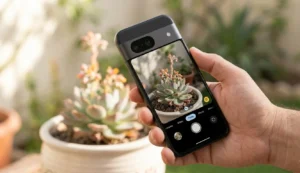
The 8a, now often found discounted, represents extraordinary value for photography-focused buyers.
Gaming Performance
The Tensor G3 chip can run heavy games.
PUBG Mobile at high settings works fine.
Here’s where things get a bit tricky.
The Pixel 8a can run heavy games, but after around 30–40 minutes, you’ll start noticing the heat.
The phone slightly dims and performance becomes less stable.
For casual gaming — Clash of Clans, Mobile Legends, FIFA Mobile — the Pixel 8a is perfectly comfortable.
For long ranked sessions of Genshin Impact at max settings, you will notice the throttling.
The Charging Problem
The Pixel 8a charges at 18W.
That means roughly 90 minutes for a full charge.
The 18W charging is noticeably slow, especially if you game a lot.
If your battery drops low, you’ll be waiting quite a while to get back to 100%.
The POCO F6 charges from 0 to 100% in under 30 minutes.
That is a 60-minute difference in charging time — which matters when you have 15 minutes before your next match.
Why You Should Still Consider It
Seven years of Android updates. IP67 water resistance.
The best camera at this price.
Wireless charging.
If you mostly take photos, occasionally game, and want a phone that lasts until 2031 with full software support — the Pixel 8a is hard to argue against.
For gaming performance specifically, it falls behind.
For everything else, it leads.
✅ Pros
- Best camera under $500 — no contest
- 7 years of OS and security updates
- Night Sight, Magic Editor, Best Take
- IP67 water resistant
- Wireless charging supported
- Clean stock Android — no bloatware
❌ Cons
- 18W charging — very slow for gamers
- Gets warm during long gaming sessions
- Throttles after 30–45 min of heavy games
- Smaller 4492mAh battery
- Limited 128GB storage only
| Best for: The user who wants 80% camera / 20% casual gaming. |
3. POCO F6 — The Performance Beast with a Good Enough Camera (~$399–$479)
Camera Score: 7/10 | Gaming Score: 9.5/10 | Balance Score: Gaming Lean
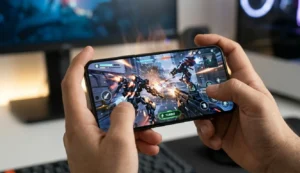
| Think of this as a budget sports car. Incredibly fast on the track — it crushes games. But the interior (camera, build quality) feels a bit plasticky compared to luxury models. |
Gaming Performance
If gaming is your priority, this is the one that consistently performs better than the others — especially in longer sessions where most phones start to slow down.
The Snapdragon 8s Gen 3 chip is near-flagship territory.
Genshin Impact runs at high graphics settings with stable frame rates.
Warzone Mobile, COD Mobile, PUBG Mobile — all run at maximum settings without complaint.
The vapor chamber cooling system is the reason the POCO can sustain this performance without throttling hard.
The 90W+ fast charging is a huge deal for gamers.
Run your battery down to 10% during a two-hour session?
Fifteen minutes on the charger gives you enough battery for another match.
That speed genuinely changes how you use the phone.
Touch Sampling and Display
The 6.67-inch 120Hz AMOLED panel looks bright and sharp during gaming.
The touch sampling rate in performance mode is excellent — inputs register fast and accurately.
For competitive mobile gaming, this display is genuinely premium for the price.
Camera Quality — Honest Assessment
The camera is decent, but this is where you can clearly see the trade-off.
In good lighting, the main camera is solid and reliable.
For everyday shots, it just works — no tweaking needed.
Once you move into low light or indoor shots, the difference becomes much more noticeable.
Night photos are noisier than the Pixel and less processed than Nothing’s output.
The ultrawide camera is the weakest part of the setup — it loses a lot of detail at the edges.
Video stabilization is mediocre.
If you shoot a lot at night or record video often, this is where the limitations become obvious.
The Software Warning
POCO phones (a sub-brand of Xiaomi) run HyperOS, which comes with some pre-installed apps and occasional ad notifications in the system software.
This is something many reviewers mention.
It is fixable — you can disable most of it in settings — but it takes a few minutes of setup.
Software update support is 2–3 years of OS updates, which is the weakest support commitment of the three phones here.
✅ Pros
- Best gaming performance under $500
- 90W+ fast charging — full in under 30 min
- Vapor chamber cooling — minimal throttling
- Good main camera for daylight
- Large 5000mAh battery
- Excellent value for raw specs
❌ Cons
- Weak ultrawide camera
- Mediocre video stabilization
- HyperOS has bloatware/ads by default
- Only 2–3 years of OS updates
- Average night photography
| Best for: The user who wants 80% gaming / 20% camera. Max FPS, fast charging, decent photos for social media. |
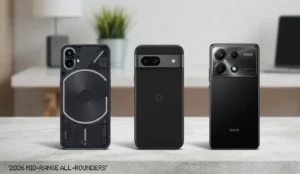
[Insert image: All three phones side by side — Nothing Phone 2a, Pixel 8a, POCO F6 | Alt text: “Best phones under $500 gaming and camera 2026 comparison”]
Gaming Performance Breakdown
Why Refresh Rate Matters More Than Raw FPS Numbers
A 120Hz screen makes every game feel faster and smoother than a 90Hz or 60Hz screen.
All three phones here have 120Hz displays, which puts them ahead of many budget alternatives.
But the difference is in how consistently they hold that refresh rate under load — and that comes down to the chip and cooling.
Thermal Throttling — Who Slows Down and When
| Phone | At 15 Min | At 30 Min | At 60 Min | Surface Temp |
|---|---|---|---|---|
| Nothing Phone (2a) | ~60 FPS stable | ~57–58 FPS | ~55 FPS | Warm — comfortable |
| Google Pixel 8a | ~60 FPS stable | ~50–52 FPS | ~45 FPS | Hot — noticeable |
| POCO F6 | ~60 FPS stable | ~59–60 FPS | ~58 FPS | Warm — comfortable |
The POCO F6’s vapor chamber cooling is the reason it holds frame rates so well.
The Pixel 8a’s Tensor G3 chip runs hot under sustained load — a known trade-off for Google’s AI-focused architecture.
Touch Sampling Rate — The Spec Nobody Talks About
Touch sampling rate measures how many times per second the screen registers your finger movements.
A higher number means faster, more responsive input. Standard screens register at 120Hz.
Gaming modes on these phones boost that significantly.
- POCO F6: Up to 480Hz touch sampling in gaming mode — the fastest here
- Nothing Phone (2a): 240Hz touch sampling in gaming mode
- Pixel 8a: Standard 120Hz — no dedicated gaming mode
In competitive games like COD Mobile or Mobile Legends, 480Hz vs 120Hz is a real, felt difference.
Your aim and swipes respond faster. It is not just a marketing number.
Stereo Speakers — The Forgotten Gaming Feature
All three phones have stereo speakers. The Nothing Phone (2a) and POCO F6 are the loudest and most directional.
The Pixel 8a is good but slightly less loud than the other two.
For gaming without headphones, sound quality and volume matter — you need to hear footsteps, alerts, and in-game cues clearly.
Camera Performance Breakdown
Daylight Photos
In good outdoor light, all three phones take photos you would be happy to post.
The Pixel 8a handles dynamic range best — in a bright scene with harsh shadows, it keeps both sky and ground details visible.
The Nothing Phone (2a) produces more vibrant, warm colors that look punchy on social media.
The POCO F6’s main camera is solid — accurate and sharp — but it processes photos with less finesse.
Night Mode and Low Light
This is where the gap opens widest. The Pixel 8a’s Night Sight is in a completely different category from the other two.
Night photos on the Pixel show clean detail, accurate colour, and minimal noise.
The Nothing Phone (2a) produces decent night shots — not exceptional, but usable.
The POCO F6 struggles in low light — photos are noisier and less detailed.
If you regularly take photos at night — restaurants, events, outdoor evenings — the Pixel 8a is the only phone in this group that truly delivers.
The Camera Trade-Off on Gaming-Focused Phones
This is something you’ll notice quickly in real use, even if most spec comparisons don’t mention it.
After a 45-minute gaming session, your phone’s chip is warm.
Switch to the camera app and the AI processing pipeline — the part that enhances photos — gets throttled.
You will notice slightly slower processing speeds, slightly noisier photos, and sometimes a brief wait before the camera fully initializes.
This affects the POCO F6 the least (because its cooling is better) and the Pixel 8a the most (because the Tensor chip runs hotter).
Video Quality for Gaming Clips and Social Media
- Pixel 8a: Best 4K video quality and stabilization of the three — good for content creators
- Nothing Phone (2a): Good stabilization, decent 4K — solid for vlogging and social clips
- POCO F6: Adequate for casual clips but video stabilization lags behind — avoid for serious vlogging
The Balance Score: Gaming vs Camera Trade-Off
No competitor article shows you this. Here is a simple side-by-side view of how each phone balances both priorities.
| Phone | Camera Score | Gaming Score | Balance Score | Best Use Split |
|---|---|---|---|---|
| Nothing Phone (2a) | 8/10 | 8/10 | ⭐⭐⭐⭐⭐ Perfect | 50% / 50% |
| Google Pixel 8a | 10/10 | 7/10 | ⭐⭐⭐⭐ Camera Lean | 80% Camera / 20% Gaming |
| POCO F6 | 7/10 | 9.5/10 | ⭐⭐⭐⭐ Gaming Lean | 20% Camera / 80% Gaming |
The Hidden Factors That Matter
Battery Life During Gaming vs Photography
Gaming drains your battery significantly faster than taking photos.
Playing PUBG Mobile at high settings uses roughly 15–20% battery per hour on these phones.
Taking photos and editing uses 5–8% per hour.
If you game for two hours a day, battery capacity and charging speed matter far more to you than if you primarily use the camera.
The POCO F6’s 90W+ charging is a genuine advantage here.
The Pixel 8a’s 18W charging is a genuine weakness.
The Nothing Phone (2a)’s 45W sits comfortably in the middle.
Software Support — The Factor Most People Ignore
This is the single biggest long-term difference between these three phones.
- Pixel 8a: 7 years of Android OS updates and security patches — supported until 2031
- Nothing Phone (2a): 3 years of OS updates, 4 years of security patches
- POCO F6: 2–3 years of OS updates — the weakest commitment here
A phone that stops receiving updates in 2027 will have unfixed security holes, apps that stop supporting old Android versions, and camera AI features that never improve.
If you keep phones for 3+ years — which most people do — the Pixel 8a’s update advantage is enormous.
Screen Quality for Outdoor Gaming
Gaming outdoors in bright sunlight — which matters in warm climates — requires high peak brightness.
Here is how they compare:
- POCO F6: Up to 2000 nits peak brightness — excellent outdoor visibility
- Nothing Phone (2a): Up to 1300 nits — good, but slightly less readable in direct sun
- Pixel 8a: Up to 1400 nits — comparable to Nothing
Heat, Battery and Hot Climate Conditions
If you live in a hot climate — the UAE, Southeast Asia, India, or anywhere with summer temperatures above 35°C — phone heat management is not optional.
It is critical.
Which Phones Throttle Fastest in Hot Weather
Ambient temperature directly adds to internal chip temperature.
A phone gaming at 60°C indoors might hit 75°C outdoors in summer.
That pushes every phone past its comfort threshold faster. The POCO F6’s vapour chamber cooling system handles hot ambient temperatures best.
The Pixel 8a is the most vulnerable — its Tensor G3 chip already runs warm in controlled conditions.
For more on keeping your phone cool during heavy use and charging, our phone overheating guide covers both hardware and software fixes that work on all three of these phones.
Fast Charging Recovery Between Gaming Sessions
| Phone | Charging Speed | 0–50% Time | 0–100% Time |
|---|---|---|---|
| POCO F6 | 90W+ | ~12–15 min | ~28–30 min |
| Nothing Phone (2a) | 45W | ~28–32 min | ~55–60 min |
| Google Pixel 8a | 18W | ~45–50 min | ~90–100 min |
Who Should Buy Which Phone?
The Casual Gamer Who Loves Photos
Buy the Google Pixel 8a. You game maybe an hour a day.
Mobile Legends, Clash Royale, casual titles.
But you take photos constantly — food, friends, travel, nights out.
The Pixel’s camera will make every photo look great.
The gaming is good enough for your level of play.
The Serious Mobile Gamer Who Also Needs Decent Photos
Buy the POCO F6. You play ranked matches. You care about frame rates.
You rage when your phone throttles mid-game.
The camera takes perfectly acceptable social media photos in daylight.
That is enough for you. The 90W charging gets you back in the game fast.
The Content Creator Who Games AND Posts
Buy the Nothing Phone (2a). You stream, post clips, take photos, and game regularly.
You need the camera to be good enough for Reels and TikTok.
You need the gaming to be smooth enough for long sessions.
The Nothing Phone (2a) does both without making you feel like you made a compromise.
The unique Glyph interface also gives your content a distinctive visual hook.
The Student on a Tight Budget
Buy the Nothing Phone (2a) if you can afford the $399 entry price.
If you need to go lower, the Samsung Galaxy A56 at around $399 is a solid alternative — great display, reliable camera, and 6 years of Samsung updates.
Check our UAE budget smartphone guide for more options if you are shopping in the region.
Phones to Avoid for This Use Case
❌ Great Camera, Terrible Gaming Throttling
Samsung Galaxy S24 FE — excellent camera and display, but the Exynos 2400e chip throttles more noticeably than Snapdragon alternatives after 30 minutes of heavy gaming.
It is a great all-rounder, but not the right choice for serious mobile gamers under $500.
❌ Great Gaming Specs, Embarrassing Camera
RedMagic 11 Air — near-flagship gaming performance, dedicated cooling fan, capacitive shoulder triggers.
But the camera is genuinely bad.
Night photos look terrible. The ultrawide is essentially unusable.
If you care about photos at all — even for WhatsApp — this is the wrong choice.
❌ Looks Good on Paper, Fails in Real Life
Any phone with 4GB RAM under $500 in 2026 — these still exist.
They benchmark fine in controlled tests.
In real life, they constantly reload apps, struggle with multitasking between gaming and camera, and feel slow within 6 months of use.
Never accept 4GB RAM for this use case.
Troubleshooting: Common Issues Linked to This Use Case
These phones are great. But no phone is perfect. Here are the most common issues that come up for gaming and camera users — with fixes already covered elsewhere on FocalRated.
- “My phone lags in games after a recent update” — Post-update indexing and background processes slow phones down for 12–24 hours. Our guide on why phones run slow after updates explains exactly what to do
- “Camera app crashes when I start recording 4K” — The phone is overheating and protecting itself. Remove the case and let it cool down. Full fix steps are in our phone overheating guide
- “5G keeps dropping while I am gaming online” — A weak 5G signal forces constant switching between 5G and 4G, which interrupts your connection mid-game. Our 5G no internet fix guide covers exactly this scenario
- “Apps keep crashing during or after gaming sessions” — Often caused by RAM management after thermal throttling. Our guide on why apps keep crashing has the step-by-step fix
Final Verdict: Which One Fits You?
Buy the Nothing Phone (2a) if:
- You want the truest 50/50 gaming and camera balance
- You create content — gaming clips and photos both matter
- You want a phone that stands out from the crowd
- You game regularly and also take lots of photos
- Budget: $399–$449
Buy the Google Pixel 8a if:
- Photography is 70–80% of your use case
- You play casual or mid-core games — not ranked grinders
- You want 7 years of software updates
- Night photos, portraits, and AI editing matter most
- Budget: $449–$499
Buy the POCO F6 if:
- Gaming is 80% of your use case
- You need max FPS in heavy games like Genshin Impact
- Fast charging is non-negotiable for your lifestyle
- You only need decent photos for social media
- Budget: $399–$479
If you’re still unsure, here’s the simplest way to think about it:
- Go with the Nothing Phone (2a) if you want a bit of everything without obvious weaknesses
- Pick the Pixel 8a if photos matter more than gaming
- Choose the POCO F6 if gaming performance is your main priority
It really comes down to which one of those you care about most day to day.
Most people end up happier when they choose based on how they actually use their phone day to day, not just specs.
Frequently Asked Questions
Can a phone under $500 really handle both gaming and photography well?
Yes — in 2026, mid-range chips and AI photography have closed the gap dramatically. You do not get flagship performance in both, but the Nothing Phone (2a) and Pixel 8a prove you can get genuinely good results in both for under $500.
Does more RAM help with both gaming and camera processing?
Yes. More RAM keeps games loaded faster and lets the camera’s AI process photos quicker. Get at least 8GB. 12GB is better if you play heavy games and edit photos regularly.
Which is better for gaming under $500 — Snapdragon or Dimensity?
The Snapdragon 8s Gen 3 in the POCO F6 has a slight edge in raw benchmarks. The Dimensity 7200 Pro in the Nothing Phone (2a) runs cooler and more efficiently for longer sessions. For casual to mid-core gaming, either works well.
Do gaming phones always have bad cameras?
Not always — but often. Gaming phones prioritize cooling and processing power. The POCO F6 has a decent main camera for daylight but weak ultrawide and video stabilization. The core trade-off is real, which is exactly what this article addresses.
Is it better to buy a used flagship iPhone instead of a new $500 Android?
A used flagship iPhone has a stronger camera ecosystem and longer software history — but a degraded battery, no warranty, and unknown wear. A new $500 Android gives you a fresh battery, full warranty, and current hardware. For most people, new mid-range beats used flagship.